ZHAW School of Life Sciences and Facility Management
Institute of Natural Resource Sciences
Grüentalstrasse 14, 8820 Wädenswil

+41 (0) 58 934 55 63
nils.ratnaweera@zhaw.ch

Research Associate at the Research Group for Geoinformatics
www.zhaw.ch/iunr/geoinformatik
From tabular data to raster

Tabular data

  • Wickham (2014): Tidy tabular data: Each variable is a column, each observation is a row, and each type of observational unit is a table.
  • Below is a dataset from Baltagi and Baltagi (2008)
  • Observation is a state in a particular year
  • Variable is a measured parameter (see below)

state year unemp water emp util
ALABAMA 1970 4.7 1655.68 1010.5 6051.20
ALABAMA 1971 5.2 1721.02 1021.9 6254.98
ALABAMA 1972 4.7 1764.75 1072.3 6442.23
ALABAMA 1973 3.9 1742.41 1135.5 6756.19
ALABAMA 1974 5.5 1734.85 1169.8 7002.29
ALABAMA 1975 7.7 1752.27 1155.4 7405.76

Long tables have a lot of repetitions:

  • state: 815 values, but only 48 unique states
  • year: 815 values, but only 17 unique years
  • Total: 8’150 values in the table

Wide tables have less repetitions.

ALABAMA ARIZONA ARKANSAS CALIFORNIA
1970 4.7 4.4 5.0 7.2
1971 5.2 NA 5.4 8.8
1972 4.7 4.2 4.6 7.6
1973 3.9 4.1 4.1 7.0
1974 5.5 5.6 4.8 7.7
1975 7.7 12.0 9.5 9.9

Long vs Wide: Long / tidy:

state year pcap hwy water
ALABAMA 1970 15032.67 7325.80 1655.68
ALABAMA 1971 15501.94 7525.94 1721.02
ALABAMA 1972 15972.41 7765.42 1764.75
ALABAMA 1973 16406.26 7907.66 1742.41
ALABAMA 1974 16762.67 8025.52 1734.85

Long vs Wide: Wide / untidy:

ALABAMA ARIZONA ARKANSAS CALIFORNIA COLORADO
1970 4.7 4.4 5.0 7.2 4.4
1971 5.2 NA 5.4 8.8 4.0
1972 4.7 4.2 4.6 7.6 3.6
1973 3.9 4.1 4.1 7.0 3.4
1974 5.5 5.6 4.8 7.7 3.8

Dataframe → Matrix

The gain from converting to a matrix:

  • A dataframe is a list of column vectors — each column is a separate object in memory
  • A matrix stores all values in one contiguous block of memory
  • All values have the same type (dbl) → no per-column type metadata, enables vectorized operations
  • Row/column names are stored once separately, not repeated
  • Limitations:
    • Only advantageous if the data is densely populated (few NAs)
    • Only relevant if the data is large
     ALABAMA ARIZONA ARKANSAS CALIFORNIA COLORADO
1970     4.7     4.4      5.0        7.2      4.4
1971     5.2      NA      5.4        8.8      4.0
1972     4.7     4.2      4.6        7.6      3.6
1973     3.9     4.1      4.1        7.0      3.4
1974     5.5     5.6      4.8        7.7      3.8

Imagery Data

Images are Rasters

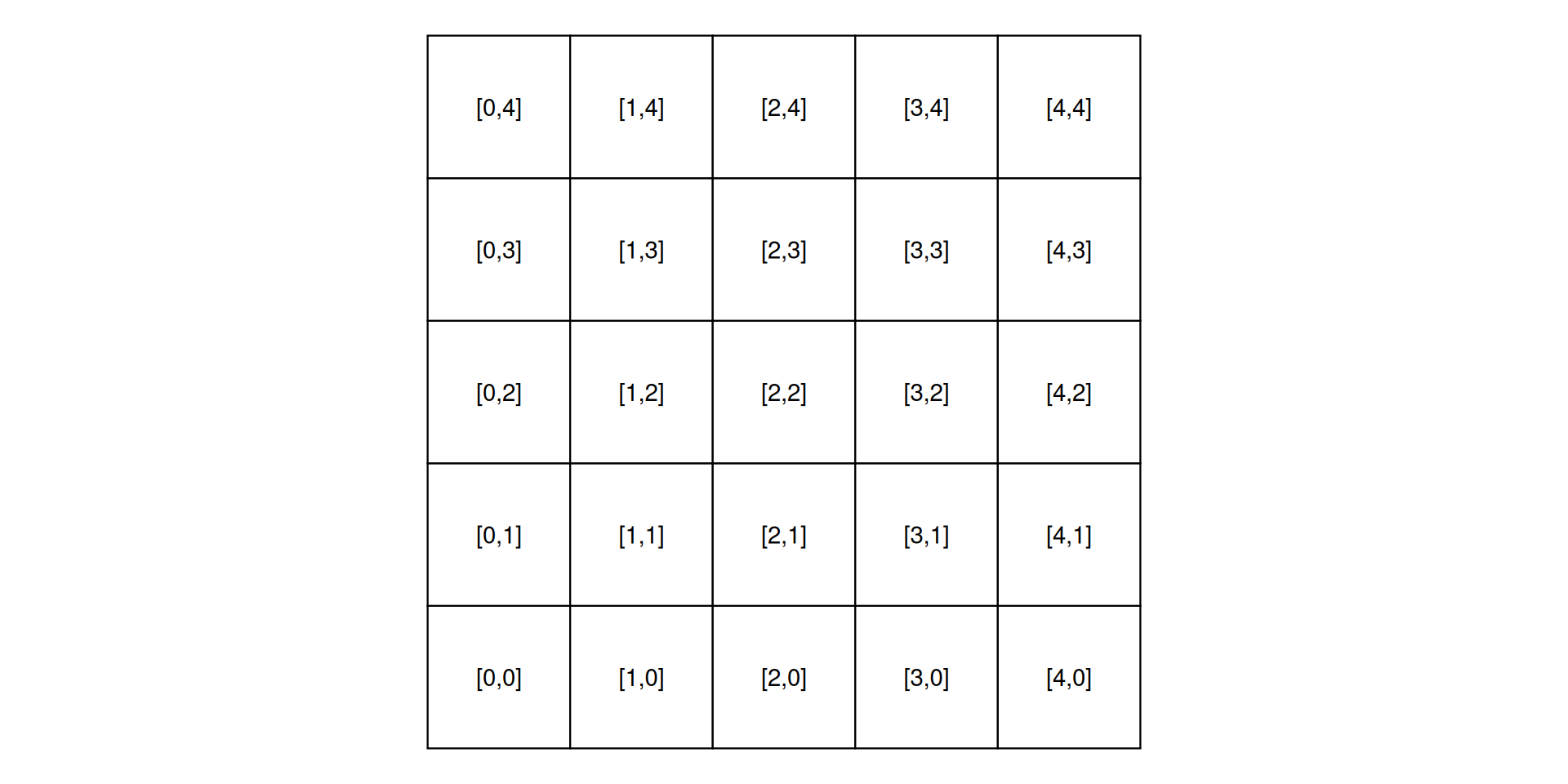
  • The spatial raster data model represents the world with the continuous grid of cells (a.k.a. pixels)
  • This data model often refers to so-called regular grids, in which each cell has the same, constant size
  • Through its inherent model, this data naturally fits into the wide data structure
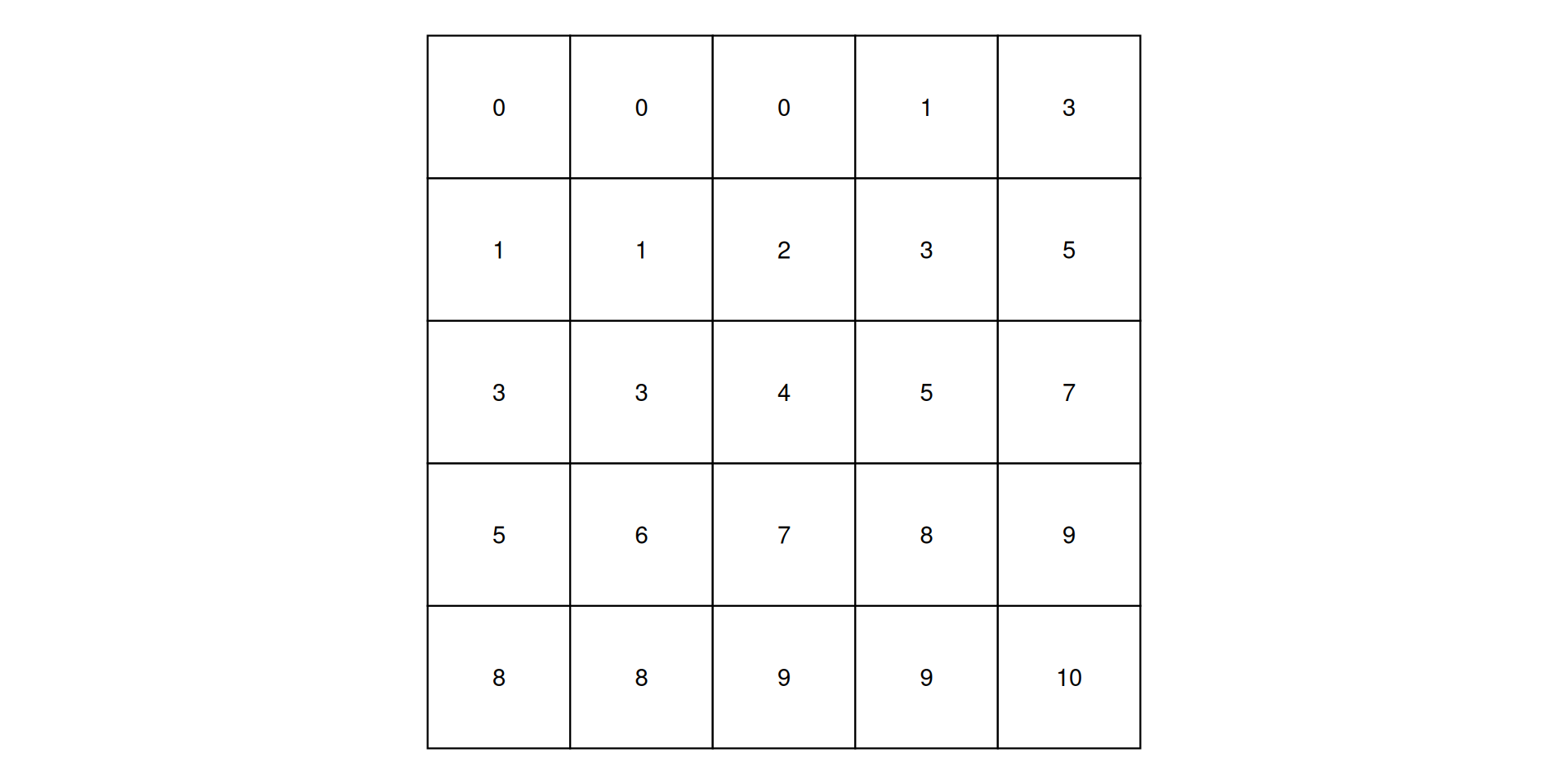
Figure 1: Cell offset from origin (lower left)
Figure 2: Cell values (for example elevation)
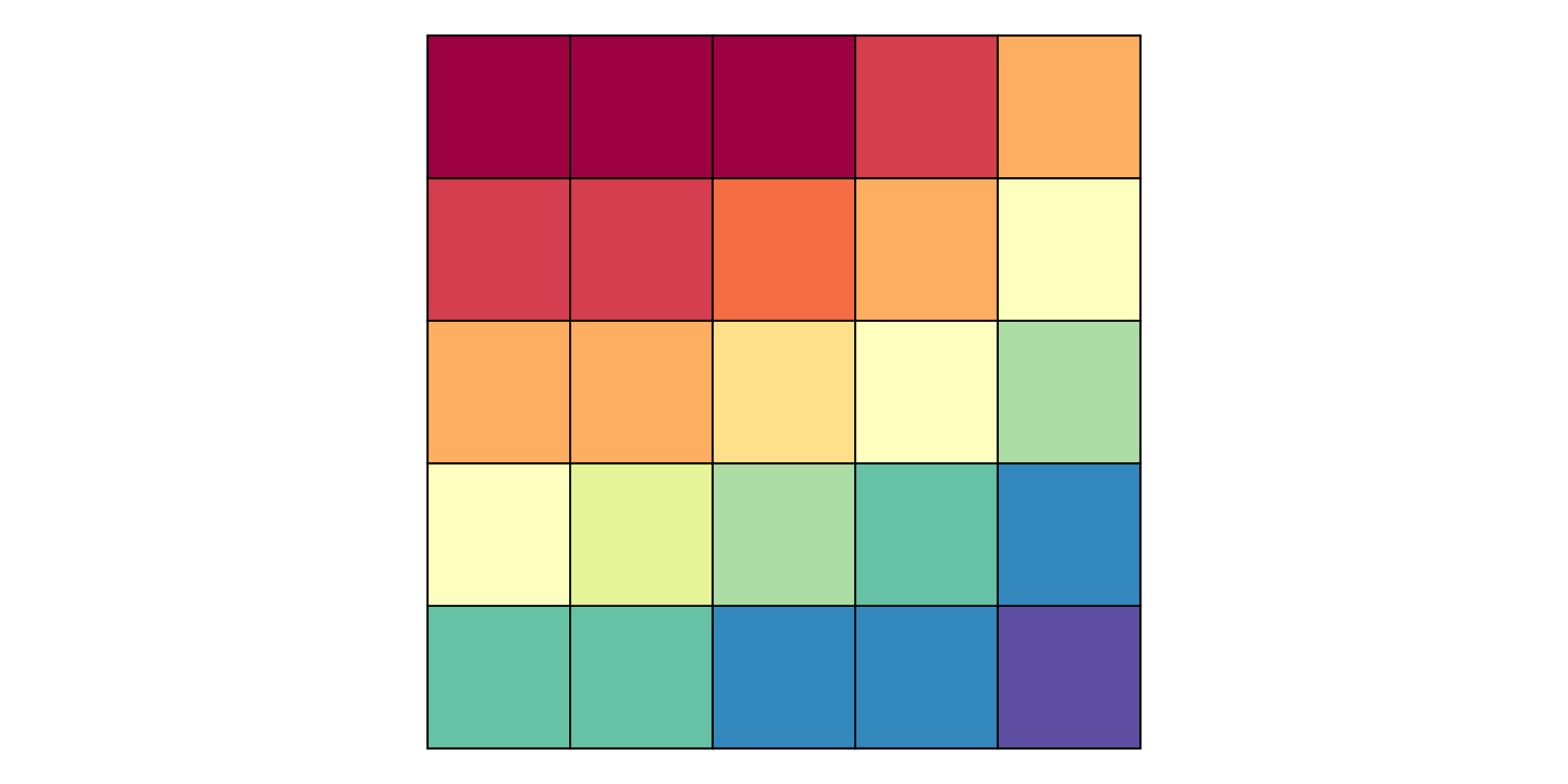
Figure 3: Color representation of cell value

Types of raster data

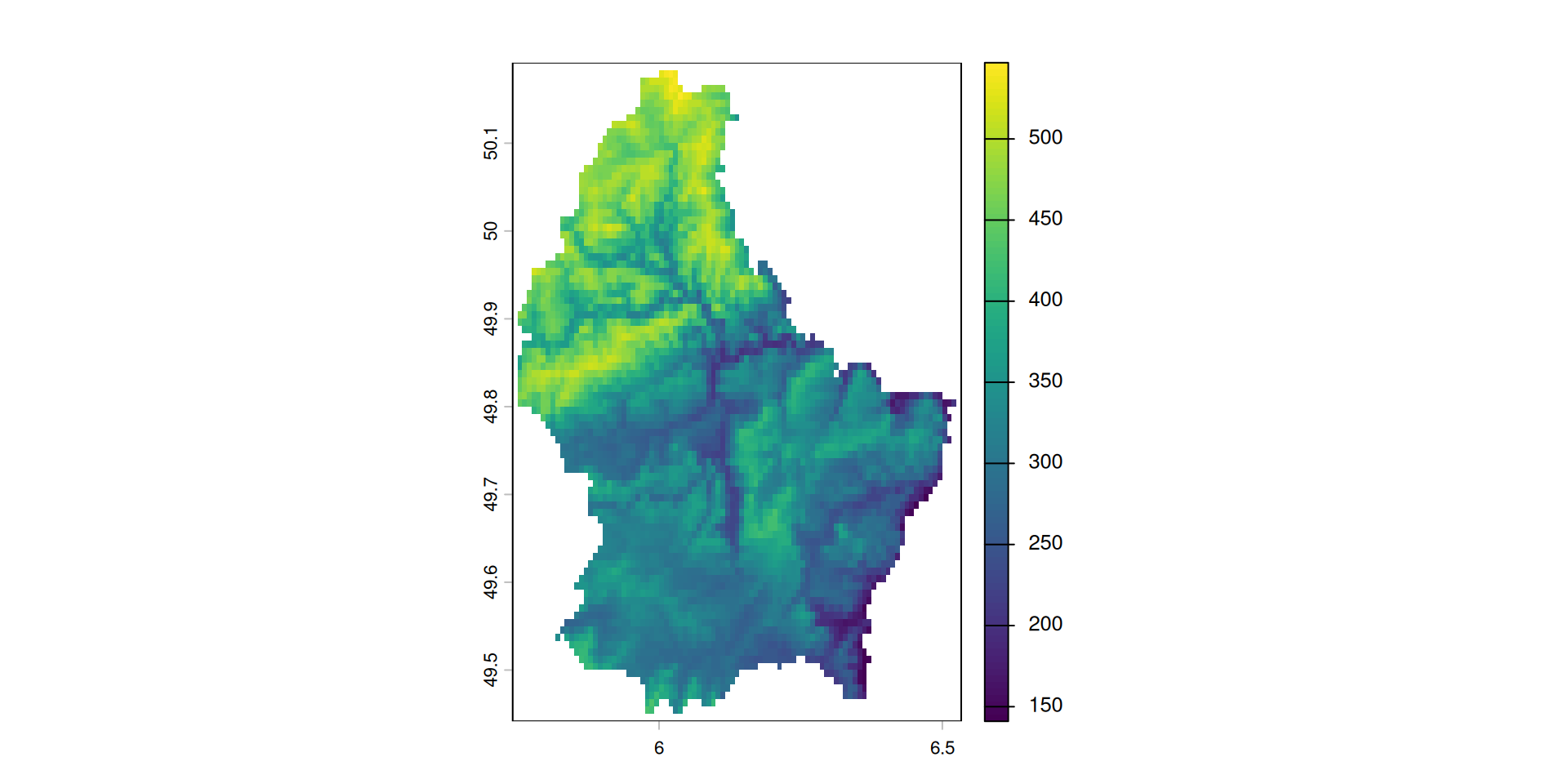
  • Raster datasets usually represent continuous phenomena such as elevation, temperature, population density or spectral data.
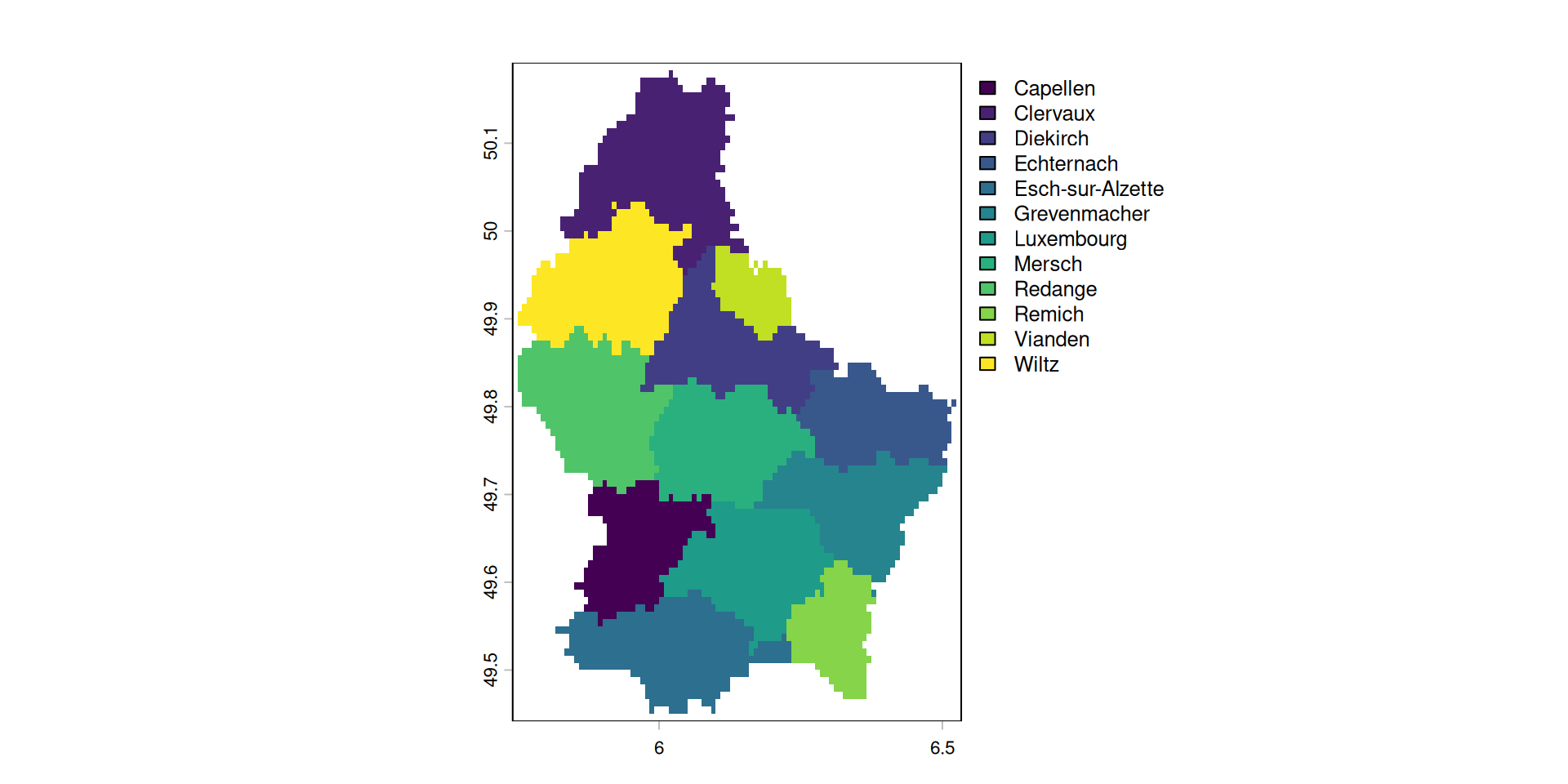
  • Discrete features such as soil or land-cover classes can also be represented in the raster data model

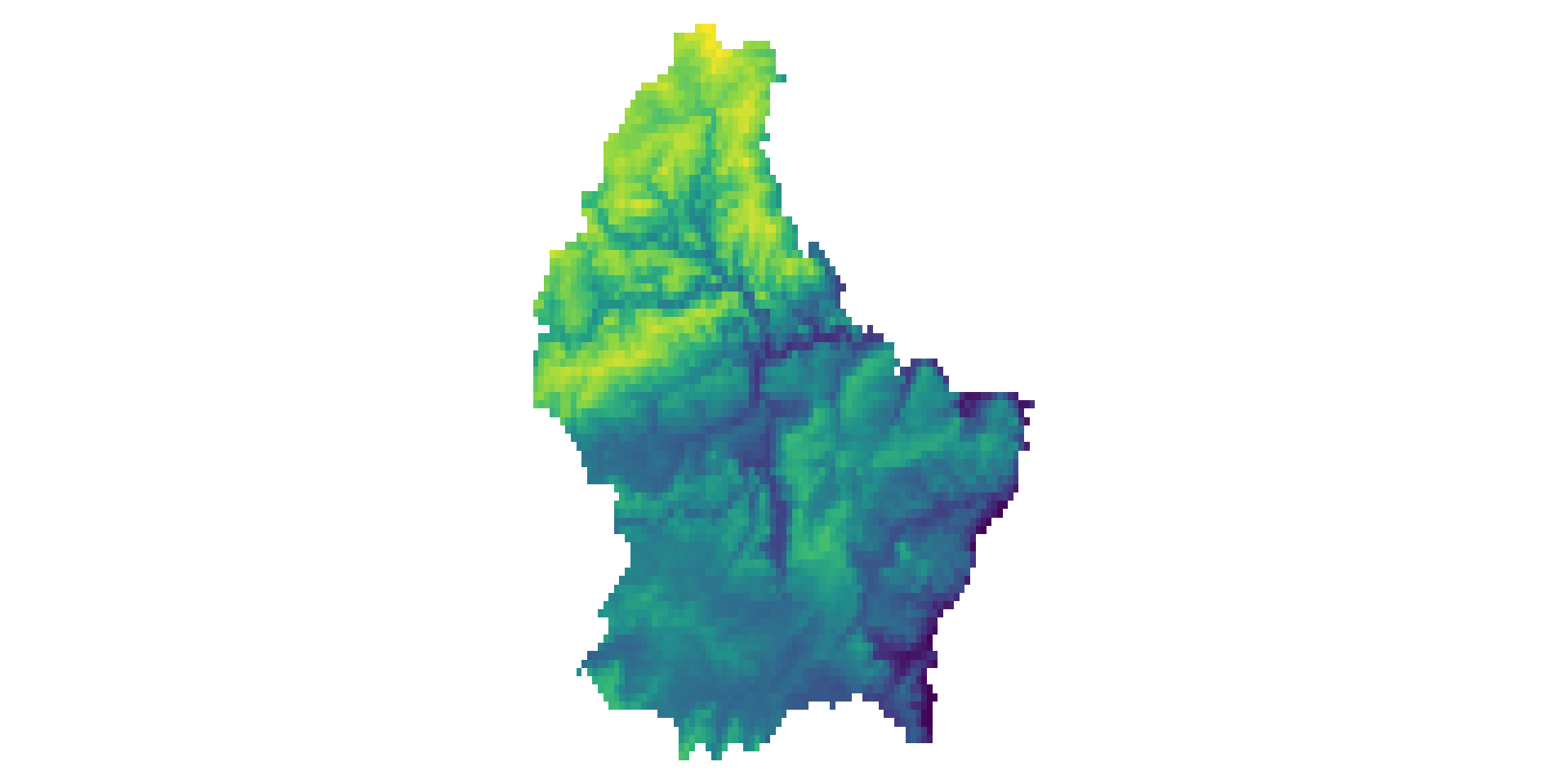
A continuous raster with the elevation of Luxembourg

A discrete raster with the municipalities of Luxembourg

A simple example: Elevation

      [,1] [,2] [,3] [,4] [,5] [,6]
 [1,]  275  282  373  342  357  326
 [2,]  230  318  316  351  345  346
 [3,]  164  337  258  342  363  350
 [4,]  168  337  261  354  358  364
 [5,]  202  322  250  380  362  373
 [6,]   NA  310  270  361  370  363
 [7,]   NA  277  310  291  375  365
 [8,]   NA  181  325  264  381  373
 [9,]   NA   NA  313  264  370  384
[10,]   NA   NA  298  285  370  380
[11,]  402   NA  333  293  356  382
A more complex example: Spectral data

  • Typically, RS imagery consists of more than 1 band
  • In this case, the data is stored in a 3 dimensional array (where band is the 3rd-dimension)
  • A RS image can contain any number of bands.
  • The most well known type of RS imagery consists of 3 Bands from the red, blue and green spectrum
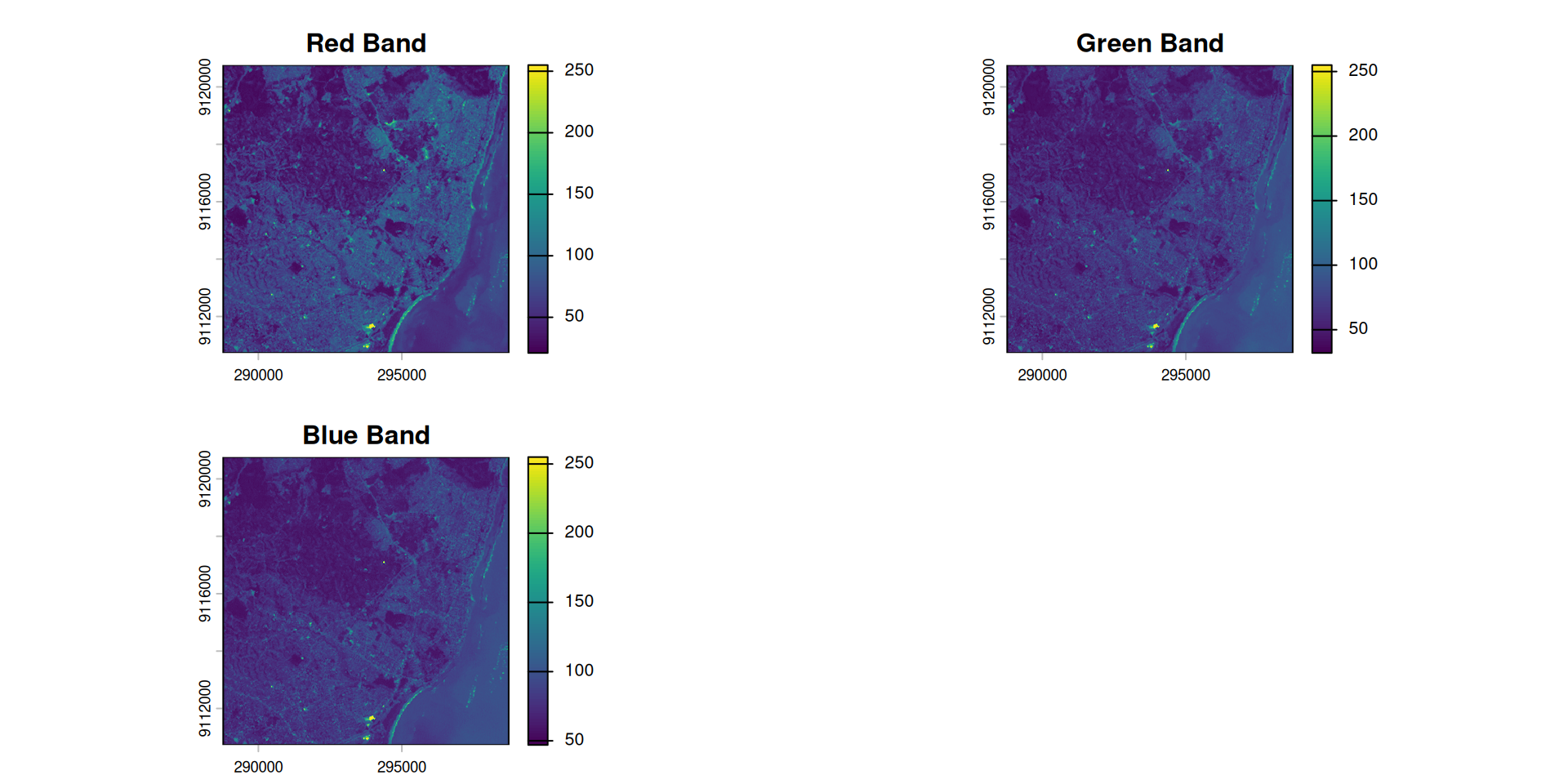
Figure 4: The bands stored internally
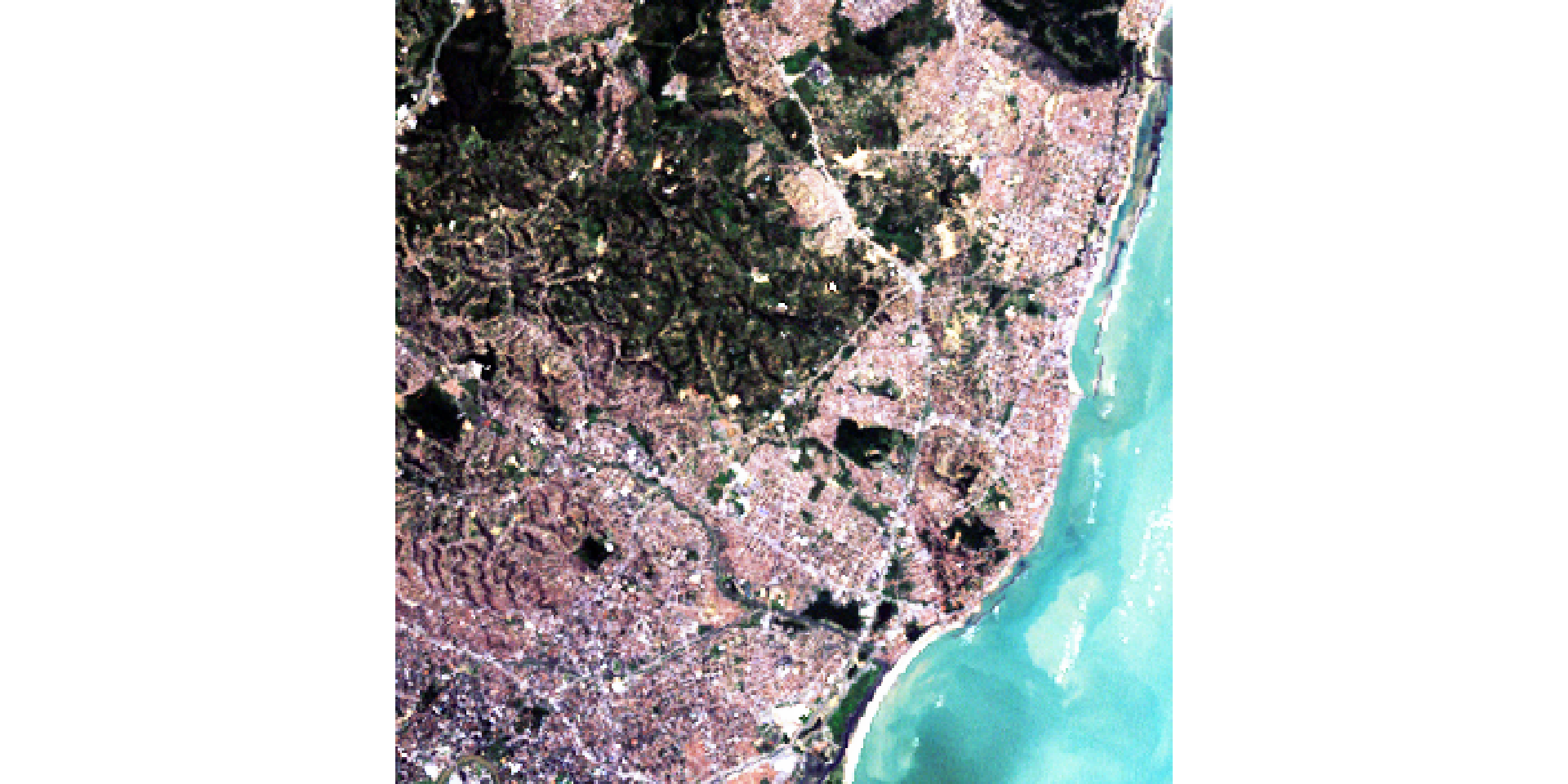
Figure 5: The RGB Composite

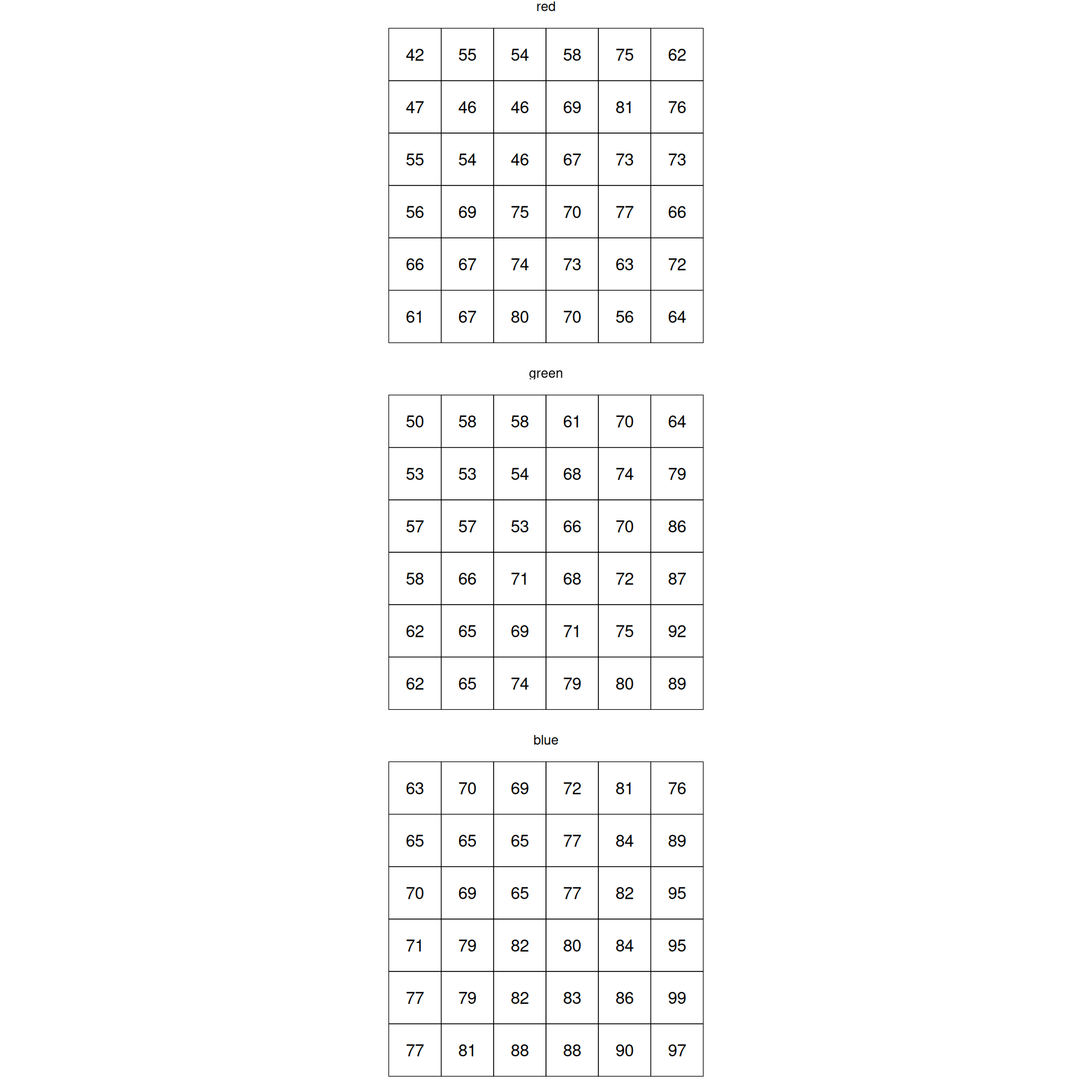
Each band is a 2D matrix

Figure 6: Band values
Figure 7: RGB True Color Image

Multispectral Datasets

  • Multiband datasets usually capture different parts of the EM spectrum
  • E.g. the Landsat image from the previous example has 6 bands capturing the following wavelengths:
    • Band 1: Blue (0.45 - 0.52 µm)
    • Band 2: Green (0.52 - 0.60 µm)
    • Band 3: Red (0.63 - 0.69 µm)
    • Band 4: Near-Infrared (0.77 - 0.90 µm)
    • Band 5: Short-wave Infrared (1.55 - 1.75 µm)
    • Band 7: Mid-Infrared (2.08 - 2.35 µm)

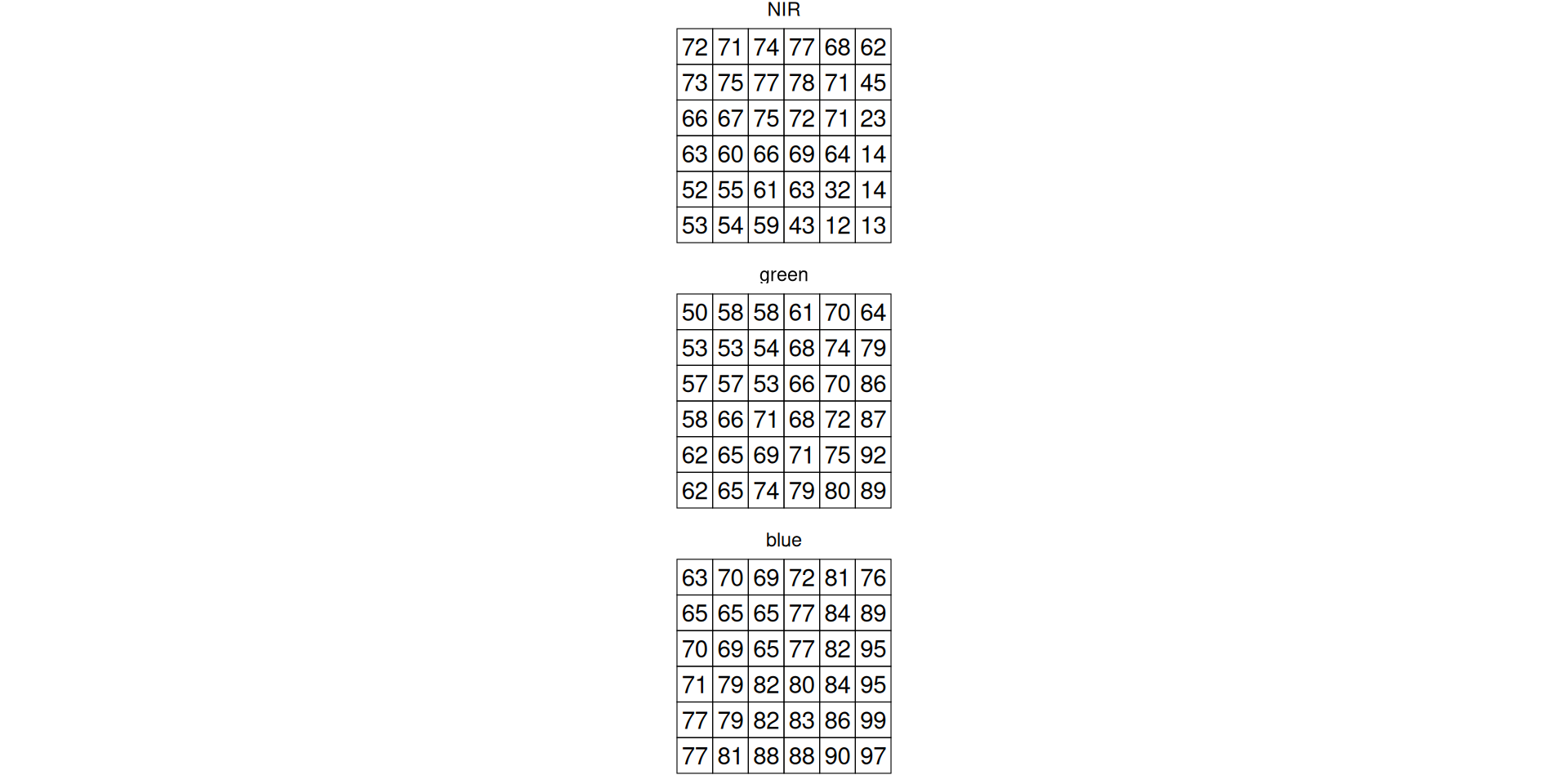
NirGB Image

Figure 8: Band values
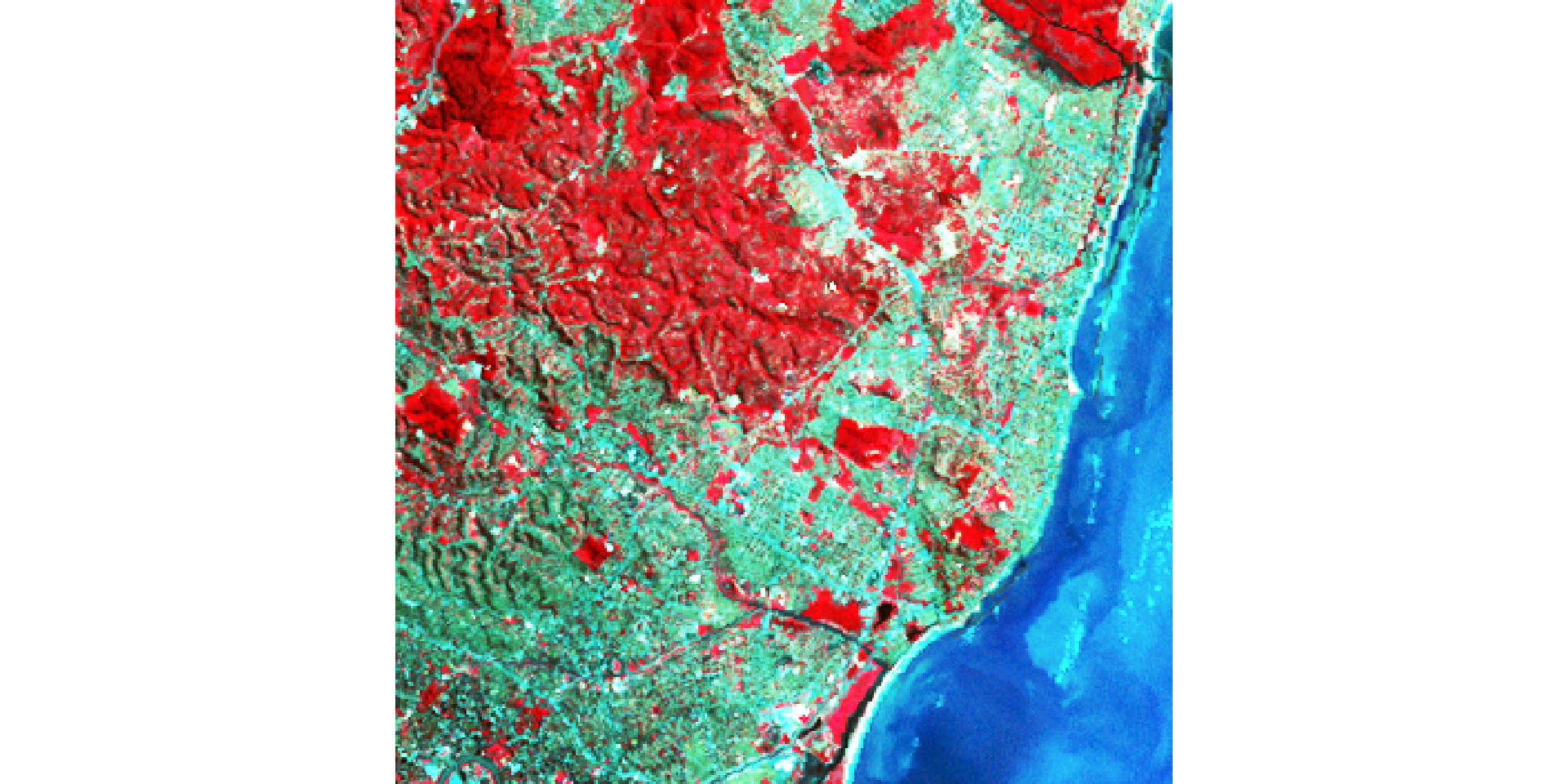
Figure 9: NIR-GB False Color Image

Representations of multispectral data

  • A true color image is created by using the Red (3), Green (2) and Blue (1) Band and mapping these to RGB
  • A false color image is created by mapping other bands to RGB
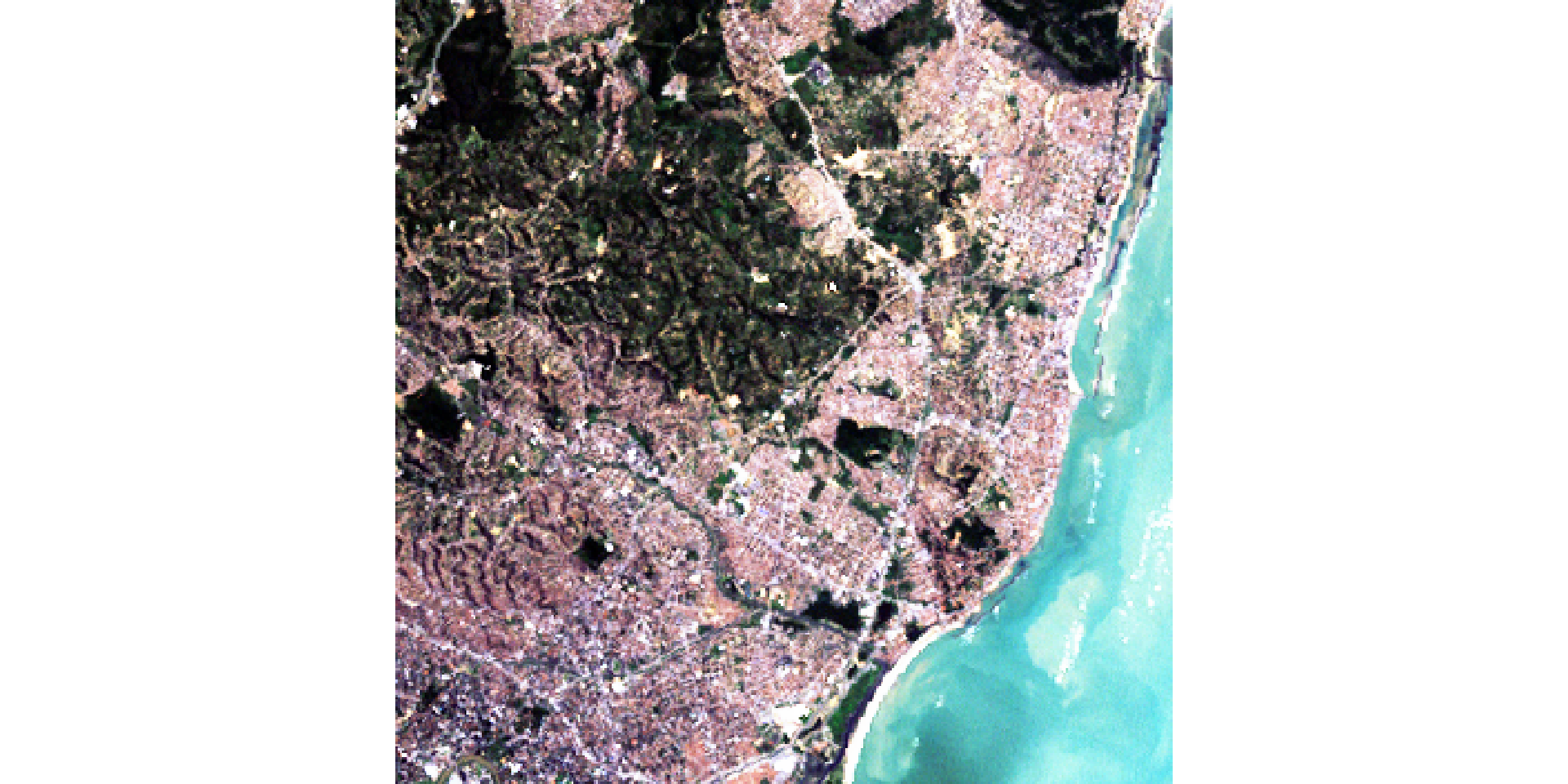
Figure 10: The R, G and B bands mapped to RGB
Figure 11: NIR, G and B bands mapped to RGB

The SpatRaster Object

What makes a matrix a raster?

  • We established that a raster is a matrix of values
  • But a plain matrix has no spatial meaning — it does not know where on Earth it is
  • A SpatRaster (terra) extends a matrix with three pieces of spatial metadata:
    • Extent: the geographic bounding box (xmin, xmax, ymin, ymax)
    • Resolution: the size of one pixel in CRS units
    • CRS: the coordinate reference system — the spatial reference frame
  • Together, extent + resolution + CRS allow every pixel to be located precisely on Earth

Printing a SpatRaster shows all metadata

r <- rast(system.file("ex/elev.tif", package = "terra"))
r
class       : SpatRaster
size        : 90, 95, 1  (nrow, ncol, nlyr)
resolution  : 0.008333333, 0.008333333  (x, y)
extent      : 5.741667, 6.533333, 49.44167, 50.19167  (xmin, xmax, ymin, ymax)
coord. ref. : lon/lat WGS 84 (EPSG:4326)
source      : elev.tif
name        : elevation
min value   :       141
max value   :       547

Querying individual components

nrow(r)   # rows (y dimension)
[1] 90
ncol(r)   # columns (x dimension)
[1] 95
nlyr(r)   # number of layers / bands
[1] 1
ext(r)    # bounding box in CRS units
SpatExtent : 5.7416666666666663, 6.5333333333333332, 49.441666666666663, 50.191666666666663 (xmin, xmax, ymin, ymax)
res(r)    # pixel size (x, y) in CRS units
[1] 0.008333333 0.008333333

Coordinate Reference Systems

What is a CRS?

  • A CRS defines how coordinates relate to real locations on Earth
  • Two broad families:
    • Geographic CRS — coordinates in degrees (longitude, latitude) on a spherical Earth model Example: WGS84 (EPSG:4326), used by GPS
    • Projected CRS — coordinates in meters (or feet) on a flat (2D) surface Example: EPSG:2169 (Luxembourg), UTM zones
  • Most downloaded satellite data uses WGS84; spatial analysis often requires a projected CRS

Checking the CRS

crs(r, describe = TRUE)   # human-readable summary
    name authority code  area             extent
1 WGS 84      EPSG 4326 World -180, 180, -90, 90

Reprojecting with project()

  • Use project() to reproject a raster to a different CRS
  • The raster is resampled so that pixels align to the new grid
r_projected <- project(r, "EPSG:2169")

res(r)           # original: degrees
[1] 0.008333333 0.008333333
res(r_projected) # projected: meters
[1] 771.9715 771.9715

Why CRS matters for analysis

Geographic (degrees)

  • Resolution of 0.00833°
  • A focal window of 3 cells ≈ 0.025°
  • Pixel “size” varies with latitude

Projected (meters)

  • Resolution of ~927m
  • A focal window of 3 cells = 2.8 km
  • Pixel size is constant everywhere

NoData in Raster Data

What does NA mean in a raster?

  • In tabular data, NA means “value not recorded” for an observation
  • In raster data, NA has additional spatial meaning:
    • Outside the study area — pixels beyond the boundary of interest
    • Other, such as Sensor failure, Atmospheric effects etc.
  • NA pixels are not skipped in raster algebra — they propagate: 5 + NA = NA

How NAs arise: study area boundaries
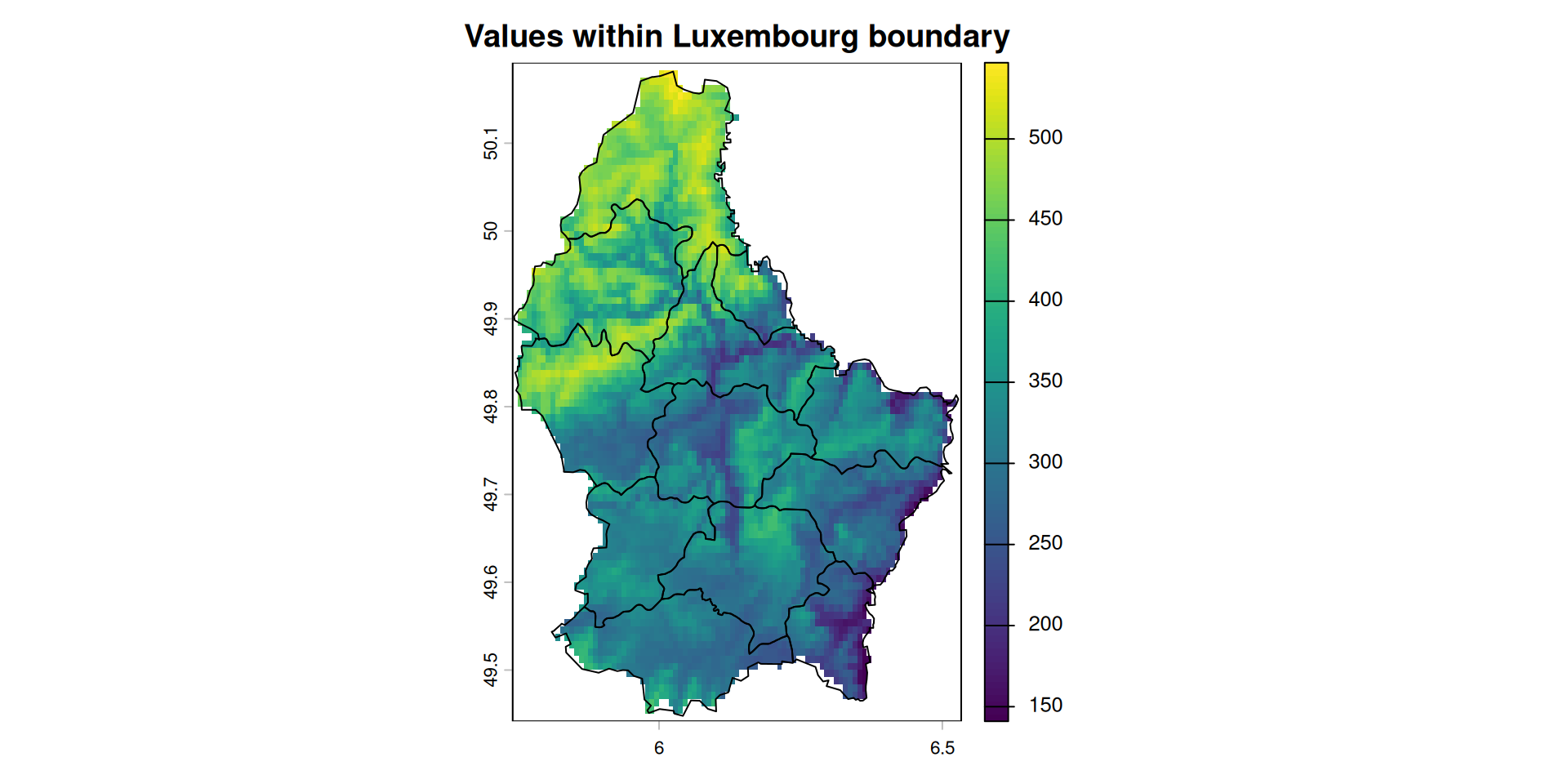
r <- rast(system.file("ex/elev.tif", package = "terra"))
lux <- vect(system.file("ex/lux.shp", package = "terra"))

# show the bounding box vs the actual data extent
plot(r, main = "Values within Luxembourg boundary")
plot(lux, add = TRUE)

The raw raster extent (bounding box)

Working with NA: is.na() and mask()

# identify where NAs are
na_raster <- is.na(r)
# mask: set cells outside a vector boundary to NA
r_masked <- mask(r, lux)
# replace NA with a specific value (e.g. 0)
r_filled <- ifel(is.na(r), 0, r)

Edge effects in focal operations

  • Focal operations require a neighborhood around each cell
  • Cells at the raster edge do not have a full neighborhood
  • By default, this produces NA in the output border
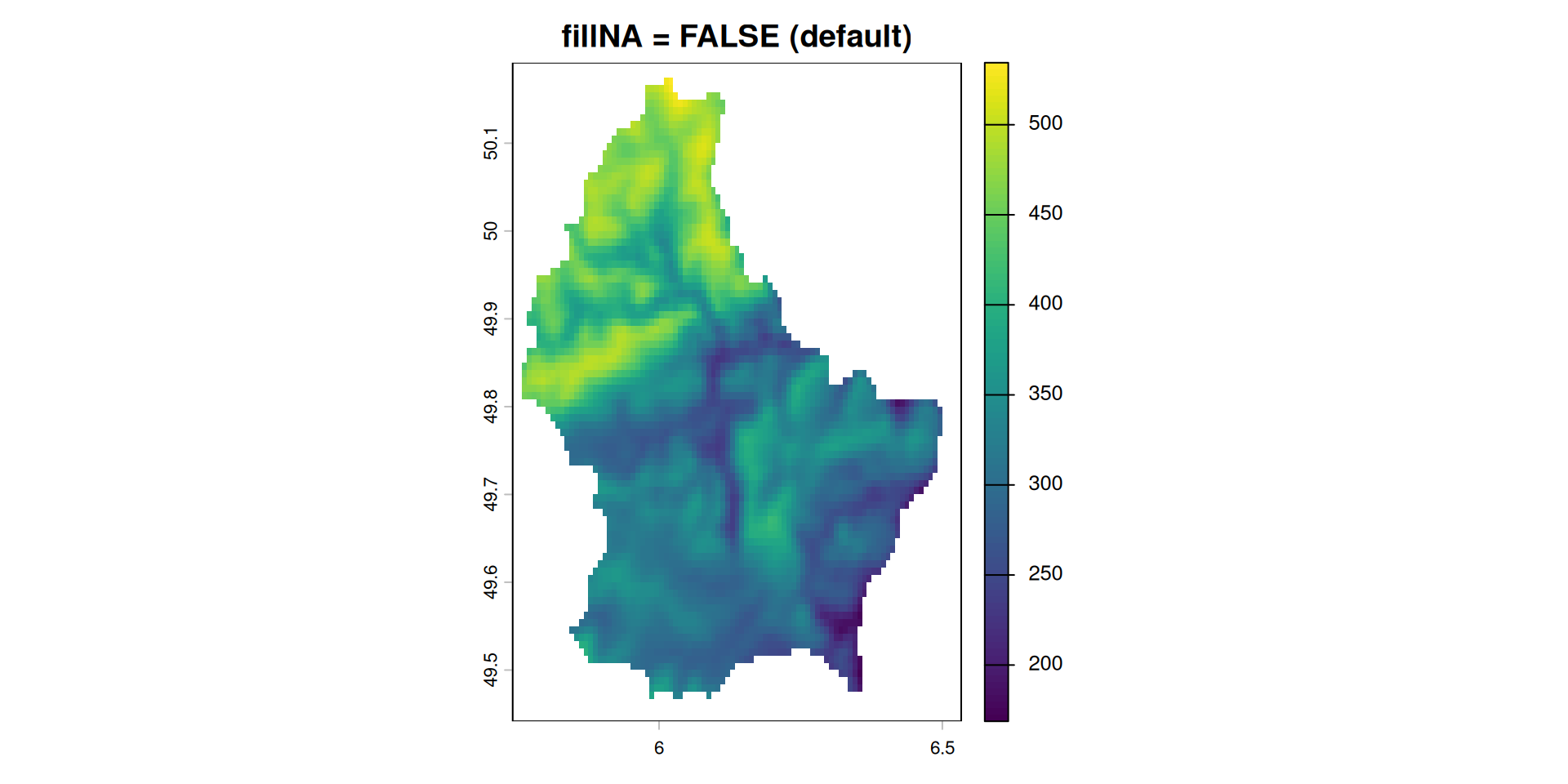
r_foc     <- focal(r, w = 3, fun = mean)
r_foc_pad <- focal(r, w = 3, fun = mean, fillNA = TRUE)

plot(r_foc,     main = "fillNA = FALSE (default)")
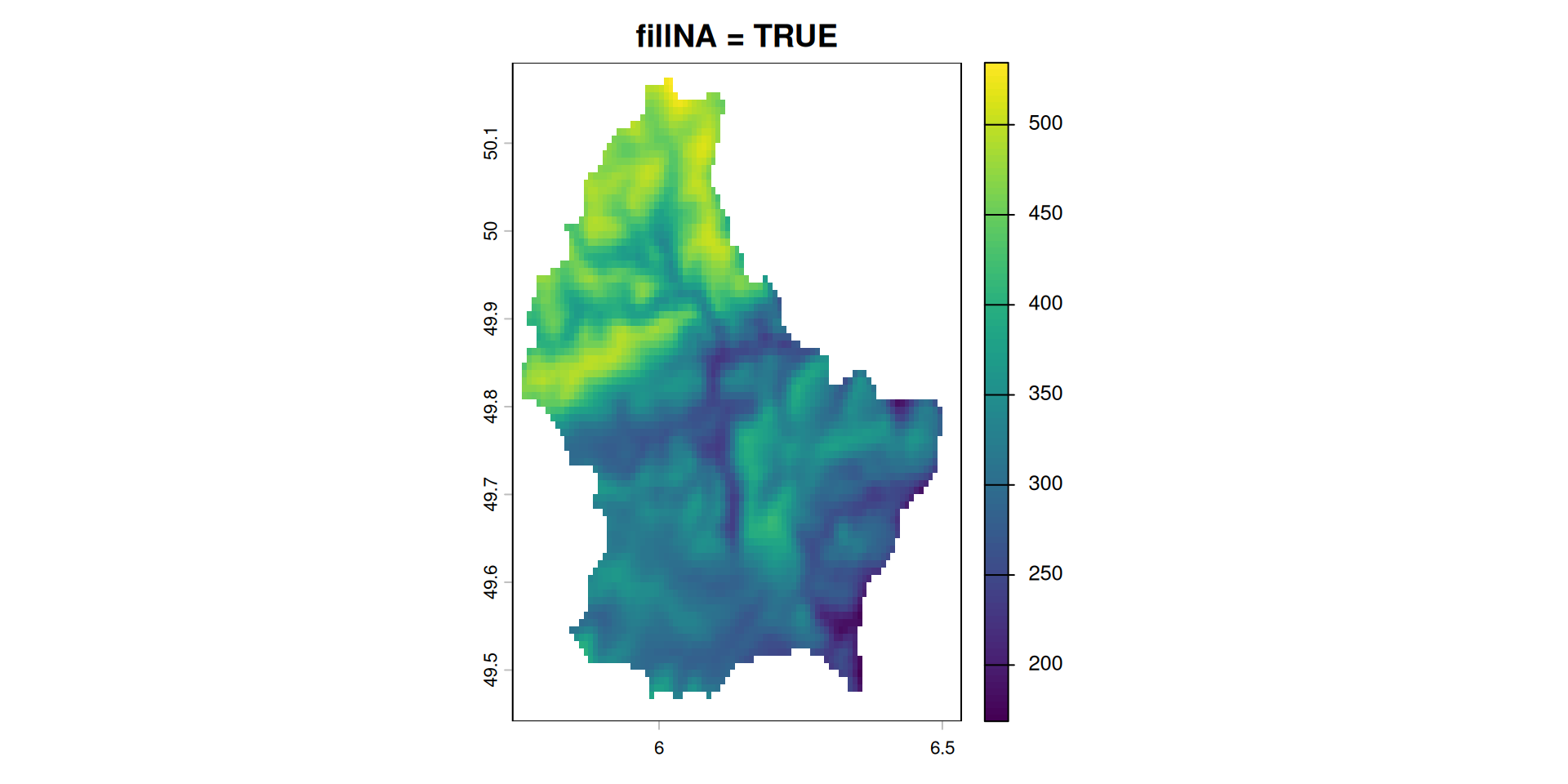
plot(r_foc_pad, main = "fillNA = TRUE")

3×3 focal mean (note NA border)

3×3 focal mean with fillNA = TRUE

Reading and Writing Rasters

Common raster file formatsCommon raster

Format Extension Notes
GeoTIFF .tif Universal standard; stores CRS, extent, metadata
JPEG2000 .jp2 Used by Sentinel-2 (ESA); lossy or lossless
NetCDF .nc Common in climate science; supports time dimension
HDF5 .h5 / .he5 Used by MODIS, Landsat Collection 2
Cloud-Optimized GeoTIFF .tif (COG) GeoTIFF optimized for remote/cloud access

Reading rasters from disk

# read a single-band GeoTIFF
r <- rast("data/elevation.tif")

# read a multi-band GeoTIFF
l7 <- rast("data/L7_ETMs.tif")

# read one specific band from a multi-band file
band3 <- rast("data/L7_ETMs.tif", lyrs = 3)
  • rast() reads all spatial metadata automatically (CRS, extent, resolution)
  • The data is not loaded into RAM by default — terra reads values on demand (lazy loading)
  • Use values(r) or as.matrix(r) to force loading all values into memory

Writing rasters to disk

# write to GeoTIFF (all metadata is preserved automatically)
writeRaster(r, "data-out/elevation_out.tif")

# overwrite an existing file
writeRaster(r, "data-out/elevation_out.tif", overwrite = TRUE)

# specify the data type explicitly (default is Float32)
writeRaster(r, "data-out/elevation_byte.tif", datatype = "INT1U", overwrite = TRUE)
  • CRS, extent, resolution, band names and data type are all written into the file
  • Any software that reads GeoTIFF (QGIS, Python/rasterio, ArcGIS) will read the same metadata
  • Choosing the right datatype matters for file size — covered in Lesson 3
Baltagi, Badi Hani, and Badi H Baltagi. 2008. Econometric Analysis of Panel Data. Vol. 4. Springer. https://bcs.wiley.com/he-bcs/Books?action=resource&bcsId=4338&itemId=1118672321&resourceId=13452.
Pebesma, Edzer, and Roger Bivand. 2023. Spatial Data Science: With Applications in R. Chapman; Hall/CRC. https://doi.org/10.1201/9780429459016.
Wickham, Hadley. 2014. “Tidy Data.” Journal of Statistical Software 59 (10): 1–23. https://doi.org/10.18637/jss.v059.i10.