Raster Operations
Map algebra

Learning Objectives

By the end of this lesson you will be able to:

  • Explain the four sensor resolution types and their trade-offs
  • Distinguish and apply the four map algebra operation types in R
  • Understand why spectral indices are more robust than raw band values
  • Perform raster–vector operations: crop, mask, and extract
  • Connect focal operations to convolutions in image processing

Sensor Concepts

The Four Resolutions

  1. Spatial: Ground size of one pixel
  2. Temporal: Revisit frequency
  3. Spectral: Number & width of bands
  4. Radiometric: Intensity levels (bit depth)

Trade-off example: Sentinel-2: 10 m · 5 days · 13 bands vs. MODIS: 500 m · daily · 36 bands — higher resolution in one dimension typically comes at the cost of another.

From Sensor to Analysis

DN vs. Reflectance

  • Sensors record Digital Numbers (DN): raw detector output
  • DN values depend on illumination angle, atmospheric conditions, and sensor calibration — not directly comparable across dates or sensors

Calibration pipeline:

Step Corrects for
DN → Radiance Sensor gain & offset
Radiance → TOA Reflectance Solar illumination angle
TOA → Surface Reflectance Atmospheric scattering & absorption

Spectral indices are designed to work with reflectance: more sensor- and date-independent than raw DN.

Map Algebra

Introduction

  • Map algebra: operations that modify or summarize raster cell values
  • Four subclasses, differing in spatial scope:
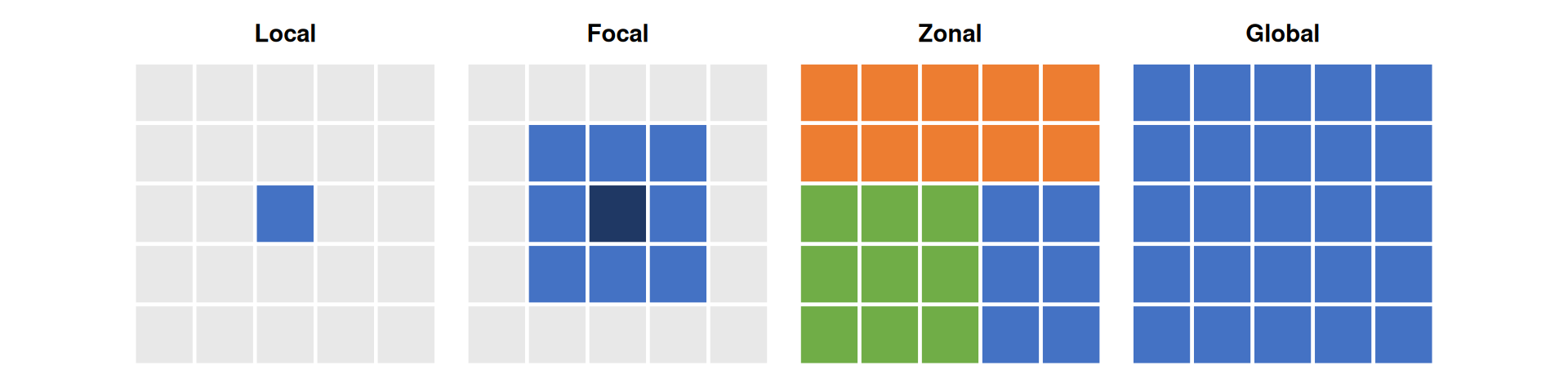
    1. Local — per-cell operations
    2. Focal — central cell + neighborhood (typically 3×3)
    3. Zonal — irregular regions defined by a second raster
    4. Global — entire raster(s)

Operation Types — Illustrated

Figure 1: Local (one cell), Focal (3×3 neighborhood), Zonal (coloured regions), Global (entire raster)

Global Operation (1)

  • The most common global operations are descriptive statistics for the entire raster dataset such as the minimum, maximum or mean value.
  • For example: What is the mean elevation value for Luxembourg?
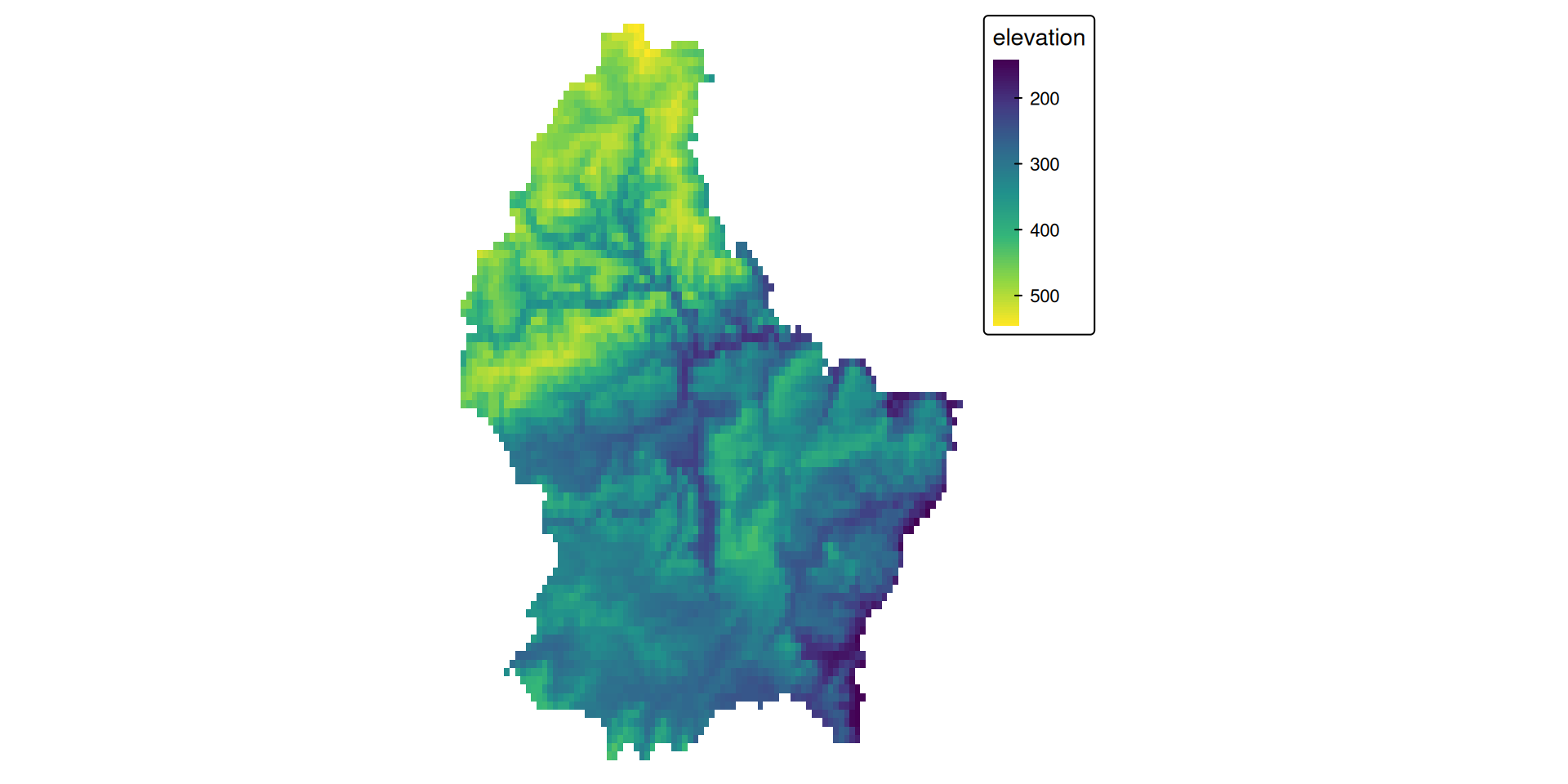
Figure 2: Elevation of Luxembourg
# note: mean(r) does not work, since "mean" is used as a local operator
mean_elev <- global(r, mean, na.rm = TRUE)

mean_elev
              mean
elevation 348.3366

Global Operation (2)

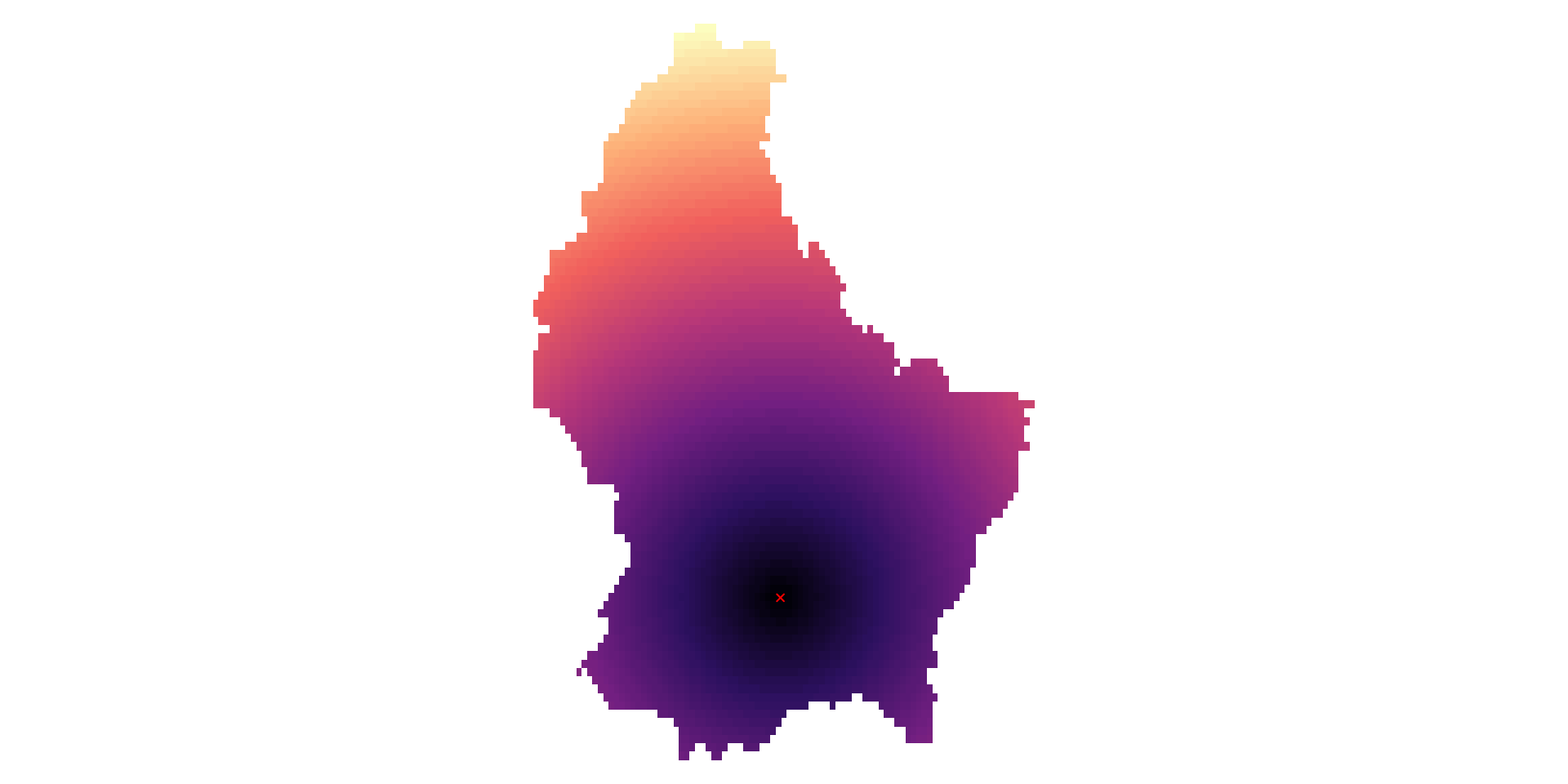
  • Another type of “global” operation is distance
  • This function calculates the distance from each cell to a specific target cell
  • For example, what is the distance from each cell to Luxembourg City, the capital of Luxembourg?
r_dist <- distance(r, luxembourg_city)
r_dist <- mask(r_dist, r)

Zonal

  • Zonal operations apply an aggregation function to multiple raster cells
  • A second raster with categorical values define the “zones”

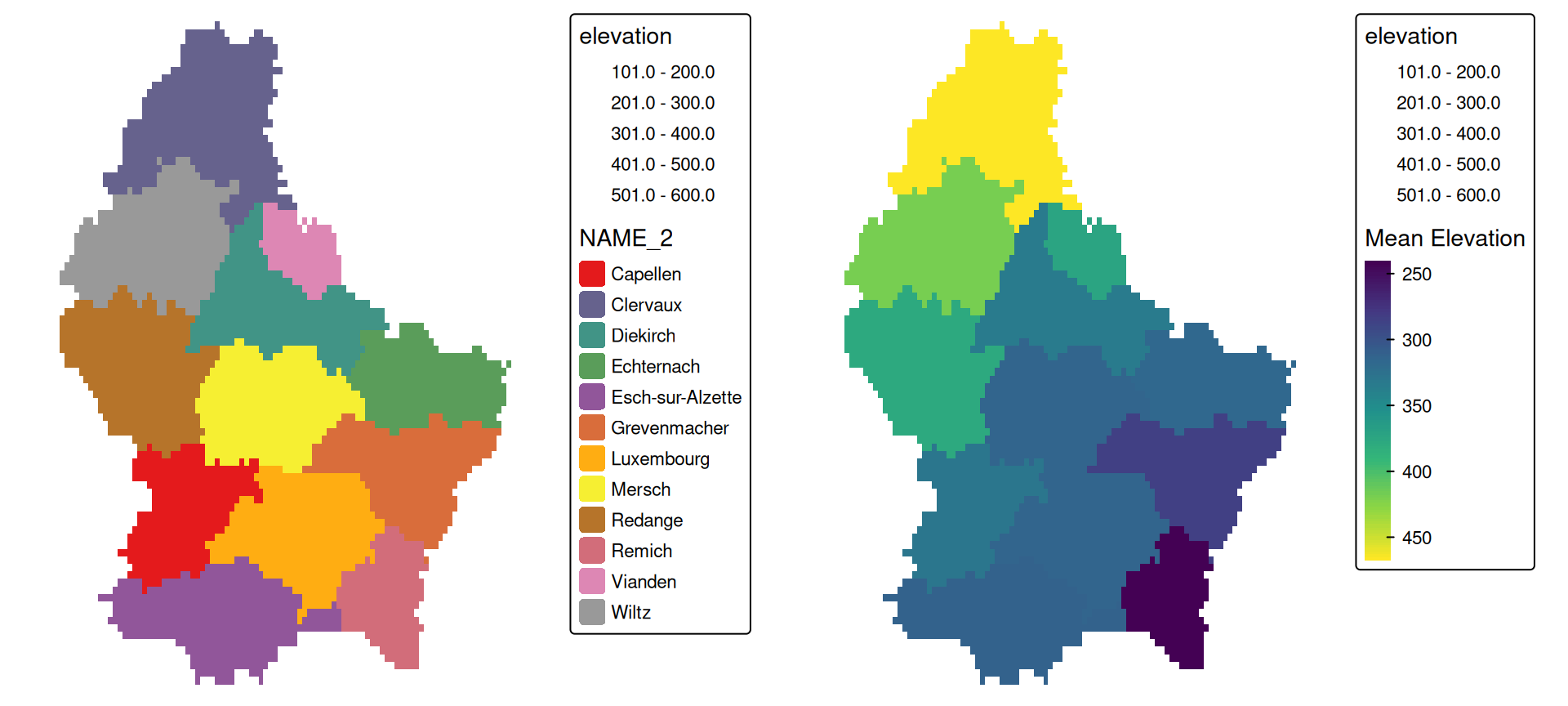
What is the mean altitude per municipality?

mean_vals <- zonal(r, zones, fun = mean, na.rm = TRUE)

Zonal — Result

Figure 3

Local (1)

  • Local operations comprise all cell-by-cell operations in one or several layers.
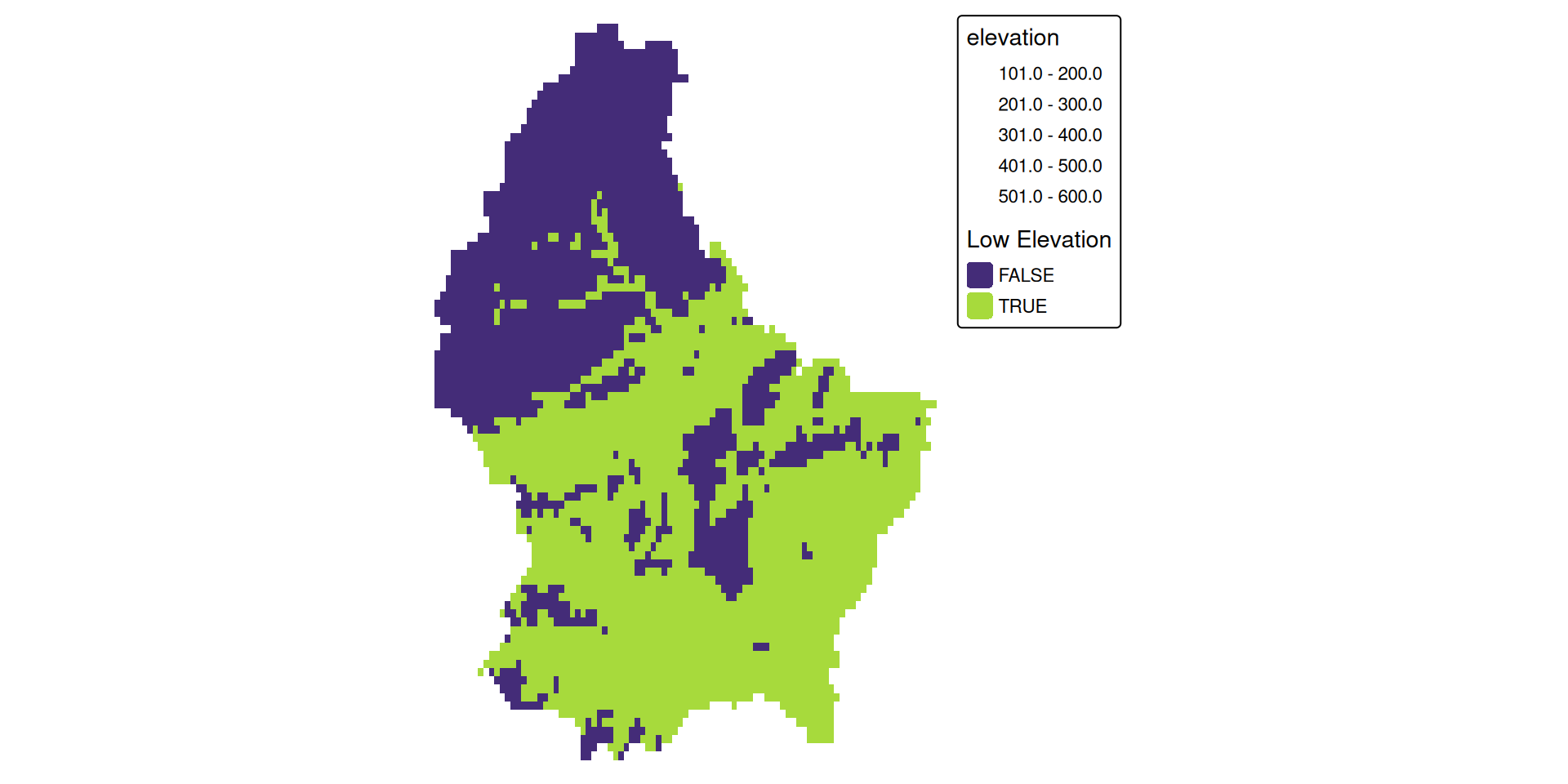
  • For example, we can classify the elevation into values above and below a certain threshold
# first, create a boolean copy of the raster
r_bool <- as.logical(r)

mean_elev <- as.numeric(mean_elev)
mean_elev
[1] 348.3366
r_bool[r > mean_elev] <- FALSE
r_bool[r <= mean_elev] <- TRUE

Local (1)

Local (2)

  • This type of (re-) classification is a very common operation
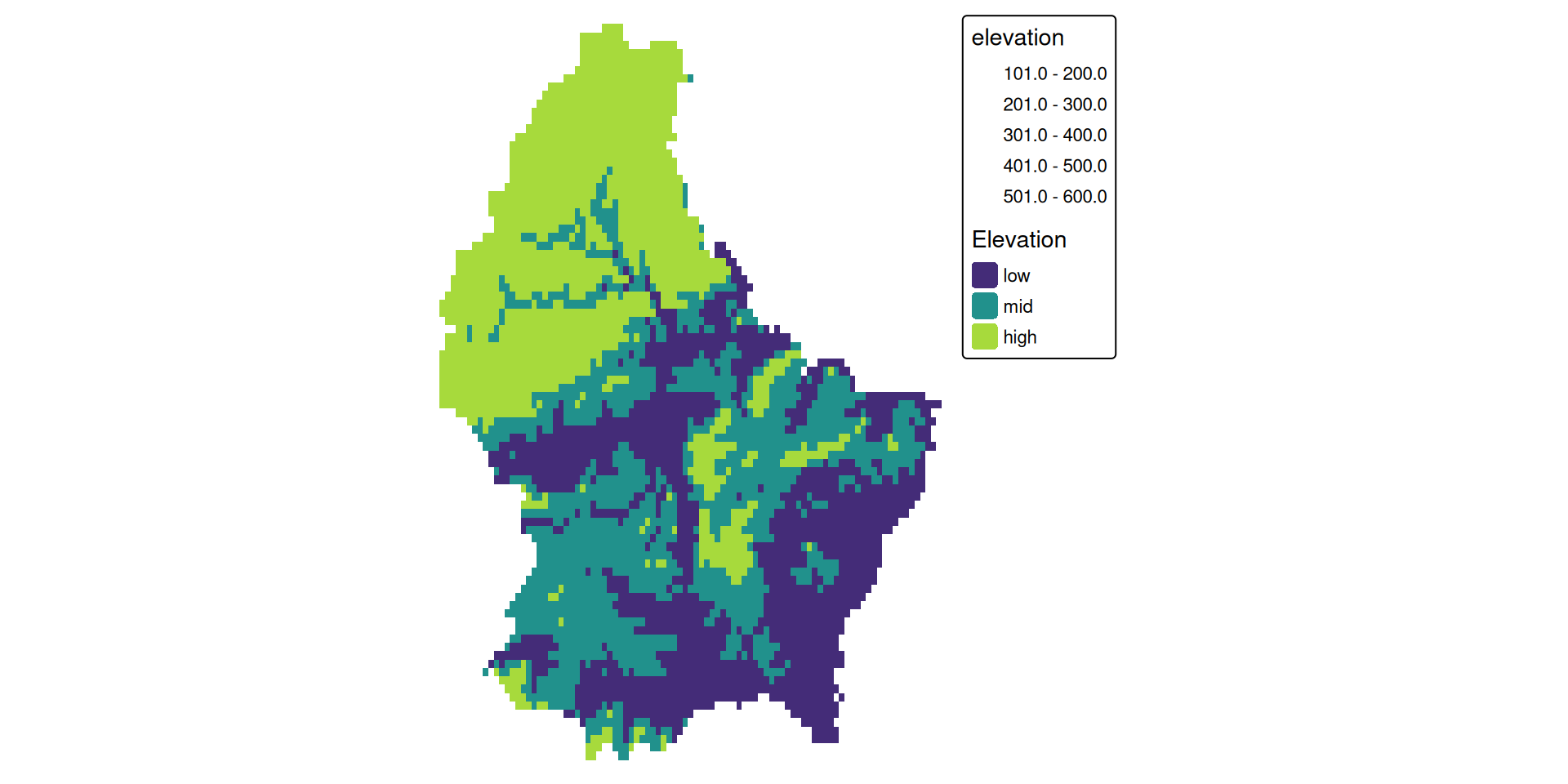
  • For more than 2 categories, we can use classify
cuts <- global(r, quantile, probs = c(0, .33, .66, 1), na.rm = TRUE)

r_classify <- classify(r, as.numeric(cuts))

# this next line just replaces the default labels with some custom ones
levels(r_classify) <- data.frame(ID = 0:2, category = c("low","mid","high"))

Local (2)

Local (3)

  • Local operations are often used with multiple bands
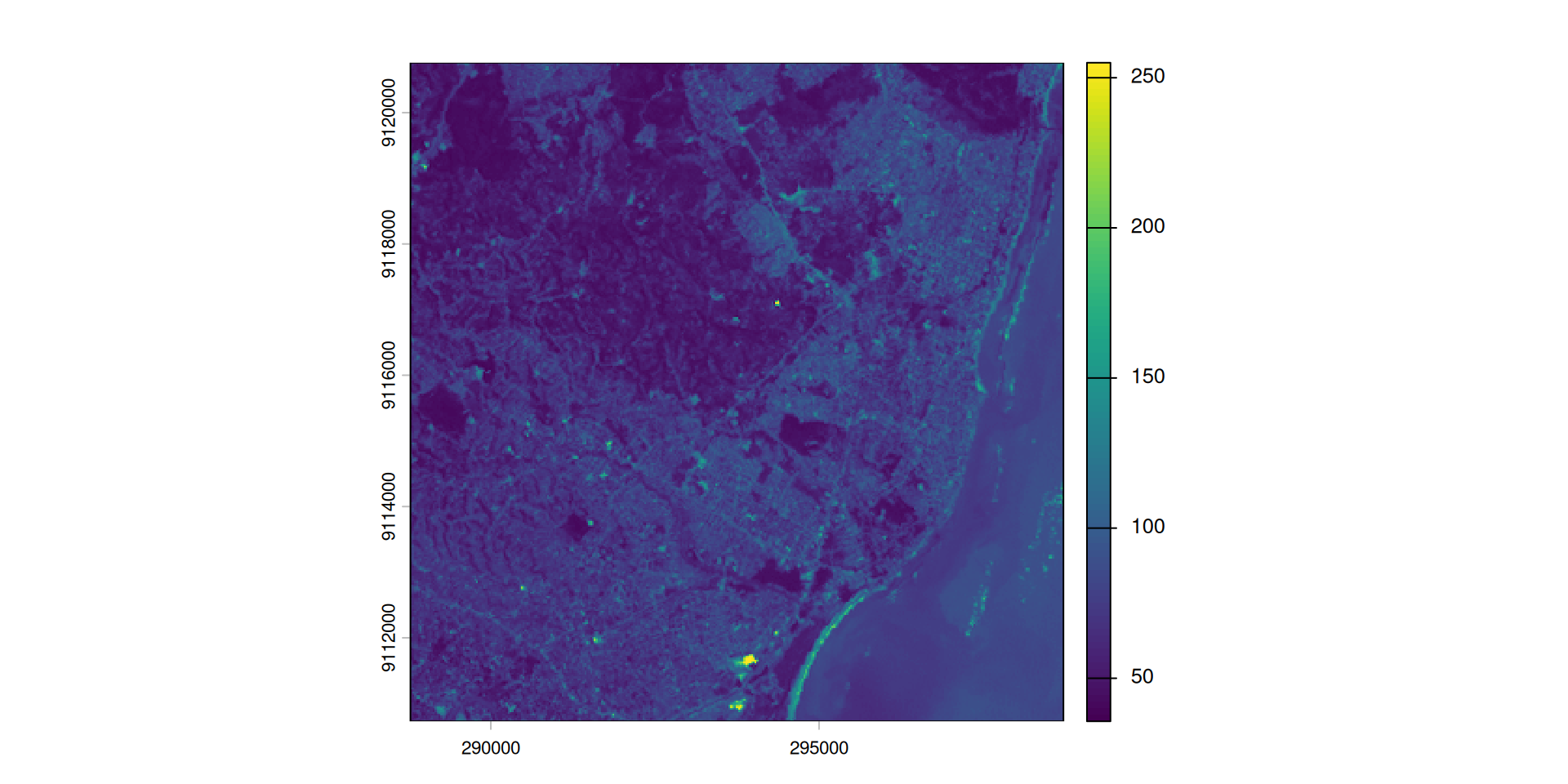
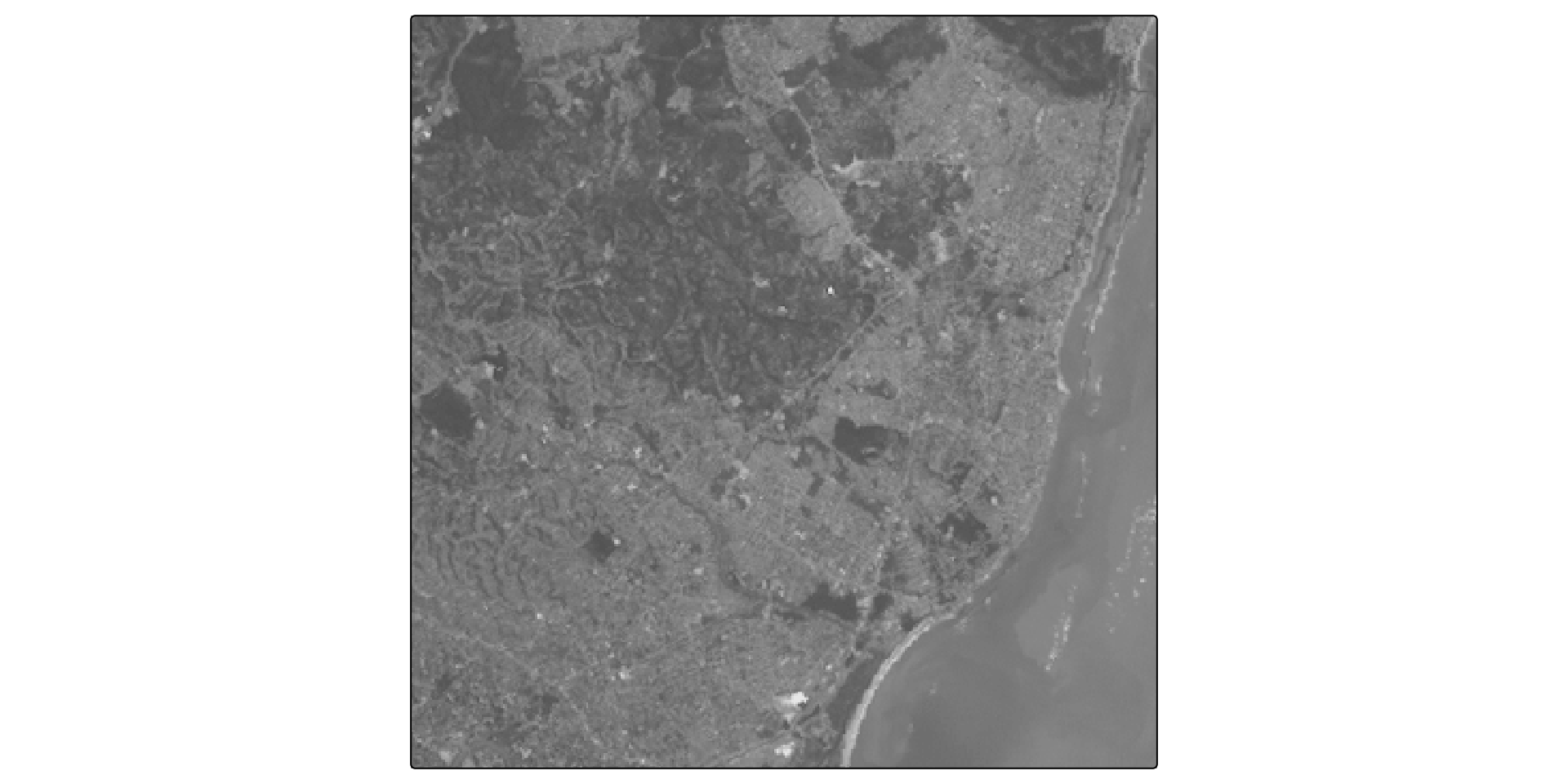
  • For example, we could calculate the mean intensity values of red, green and blue:
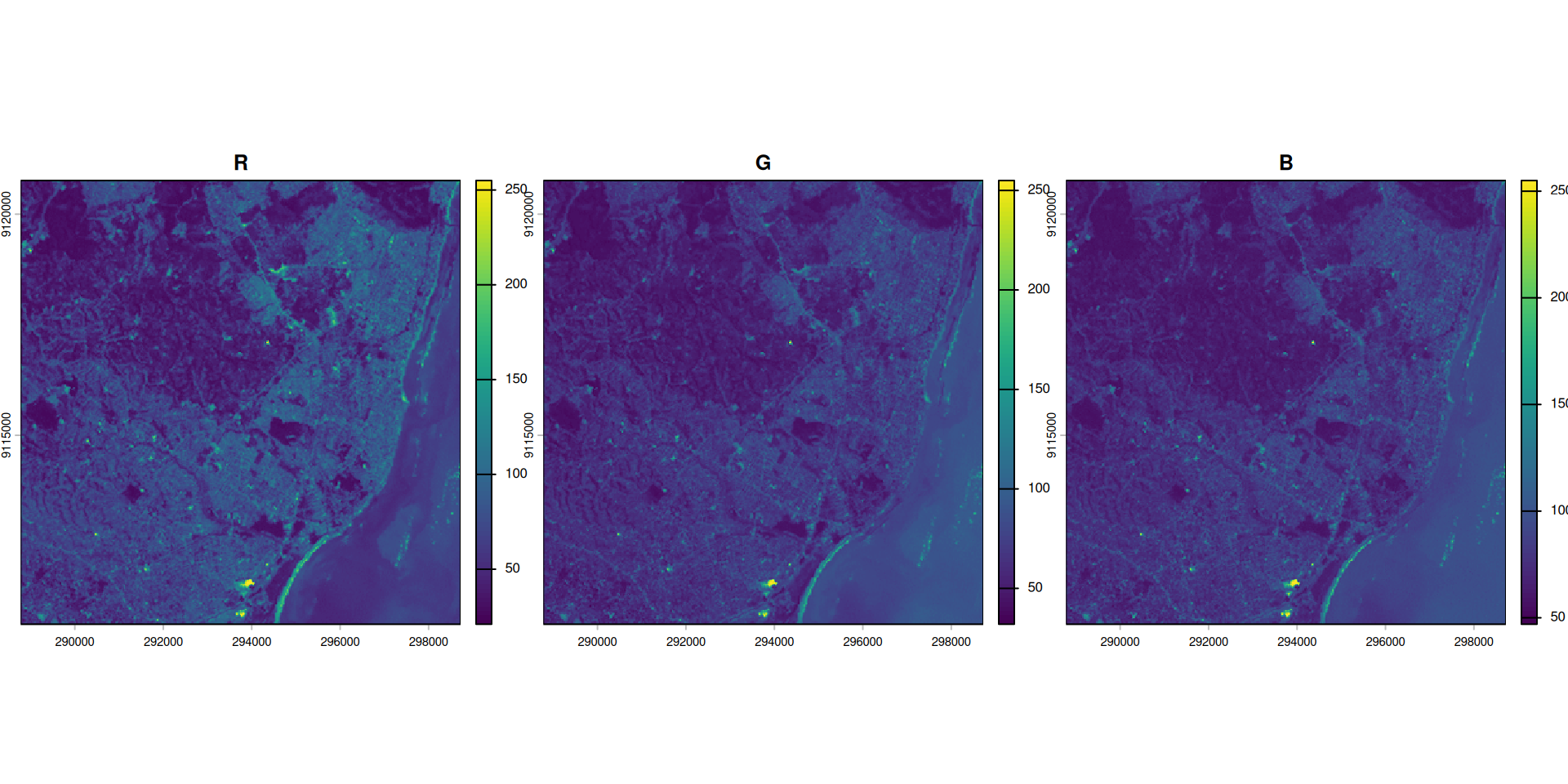
l7 <- rast(system.file("tif/L7_ETMs.tif",package = "stars"))

names(l7) <- c("B", "G", "R", "NIR", "SWIR", "MIR")

l7_rgb <- l7[[c("R","G", "B")]]

plot(l7_rgb, nr = 1)

Local (3)

l7_rgb_mean <- mean(l7_rgb)

plot(l7_rgb_mean)

Local (4)

  • Local operations also work across bands — each output cell combines values from multiple input layers
  • For example, weighted brightness emphasises red over green and blue:

\[B = 0.5 \times R + 0.3 \times G + 0.2 \times B\]

brightness <- 0.5 * l7[["R"]] + 0.3 * l7[["G"]] + 0.2 * l7[["B"]]

Local (4)

Spectral Indices

Spectral Indices: Why They Work

Healthy vegetation has a characteristic spectral signature:

  • Absorbs red (~650 nm): chlorophyll uses it for photosynthesis
  • Strongly reflects NIR (~800 nm): leaf cell structure scatters infrared light
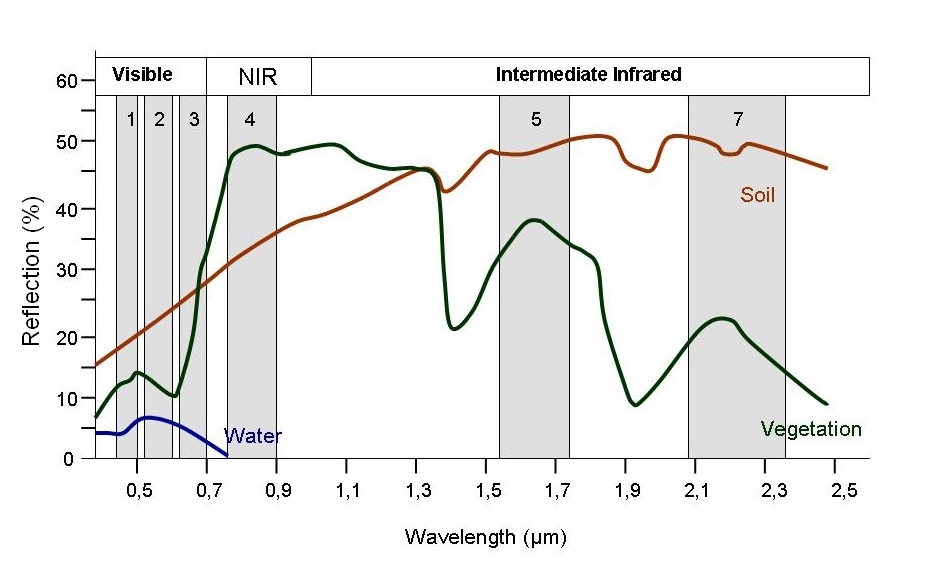
Numbers indicate Landsat TM bands: 1 Blue, 2 Green, 3 Red, 4 NIR, 5 SWIR1, 7 SWIR2 (band 6 thermal, off-chart). Source: seos-project.eu

Normalized Difference Indices

\[\text{Index} = \frac{A - B}{A + B} \in [-1,\, +1]\]

Normalization reduces the effect of illumination differences.

Index Formula Detects
NDVI (NIR − Red) / (NIR + Red) Vegetation density
NDWI (Green − NIR) / (Green + NIR) Open water
NDSI (Green − SWIR) / (Green + SWIR) Snow & ice
NBR (NIR − SWIR) / (NIR + SWIR) Burn severity

Focal Operations

Focal

  • While local functions operate on one cell focal operations take into account a central (focal) cell and its neighbors.
  • The neighborhood (also named kernel, filter or moving window) under consideration is typically of size 3-by-3 cells (that is the central cell and its eight surrounding neighbors), but can take on any other size or shape as defined by the user.
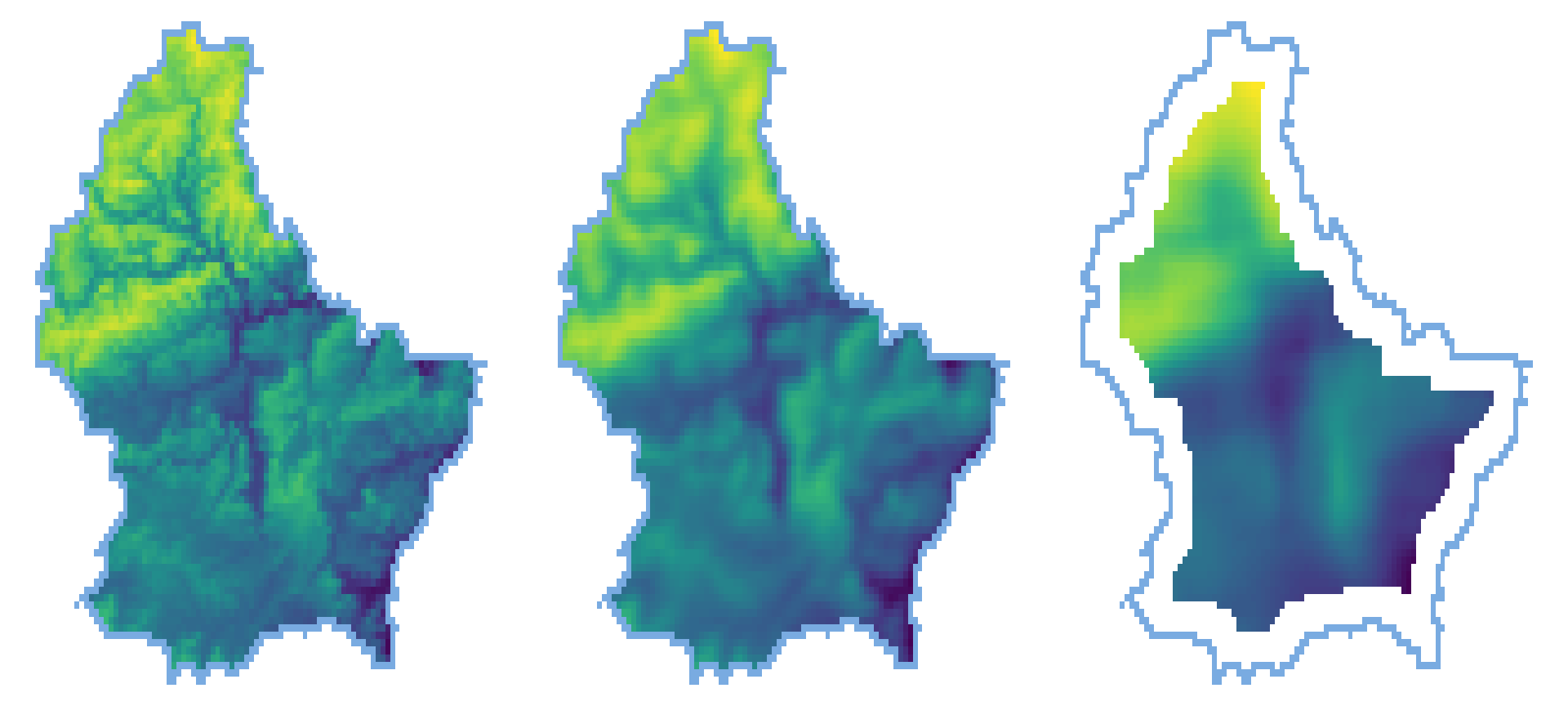
  • A focal operation applies an aggregation function to all cells within the specified neighborhood, uses the corresponding output as the new value for the central cell, and moves on to the next central cell
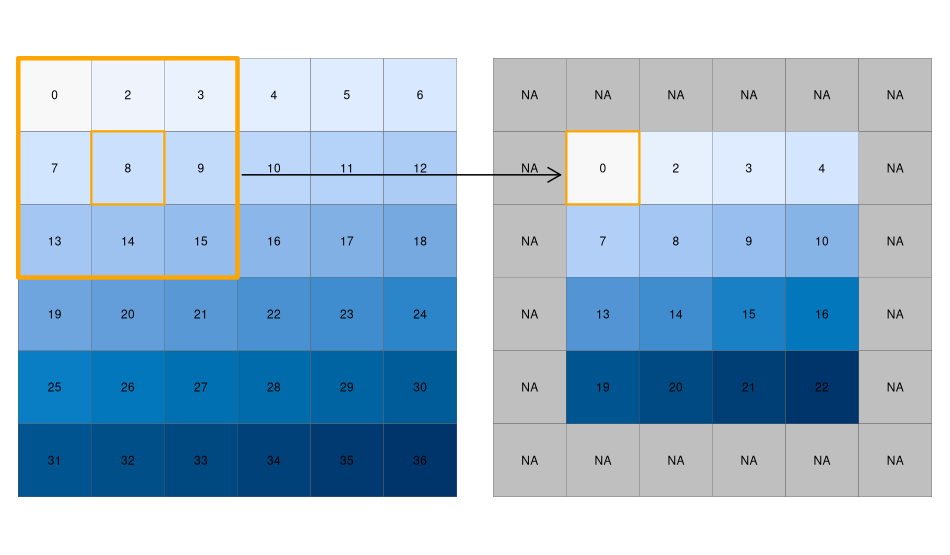
Figure 4: Note how, depending on the size of your moving window, NA’s are produced. Source: Lovelace et al. (2019)
focal3by3 <- matrix(rep(1,9), ncol = 3)


focal11by11 <- matrix(rep(1,121), ncol = 11)


r_foc3 <- focal(r, focal3by3, fun = mean, fillNA = TRUE)

r_foc11 <- focal(r, focal11by11, fun = mean, fillNA = TRUE)
Figure 5

Note

  • Note how the output raster is smaller as the focal window is larger (edge effect)
Focal weights (1)

  • The focal weights we used above were square and evenly weighted
focal3by3
     [,1] [,2] [,3]
[1,]    1    1    1
[2,]    1    1    1
[3,]    1    1    1
focal11by11  # same structure, 11×11

Focal weights (2)

  • However, we can also create uneven weights:

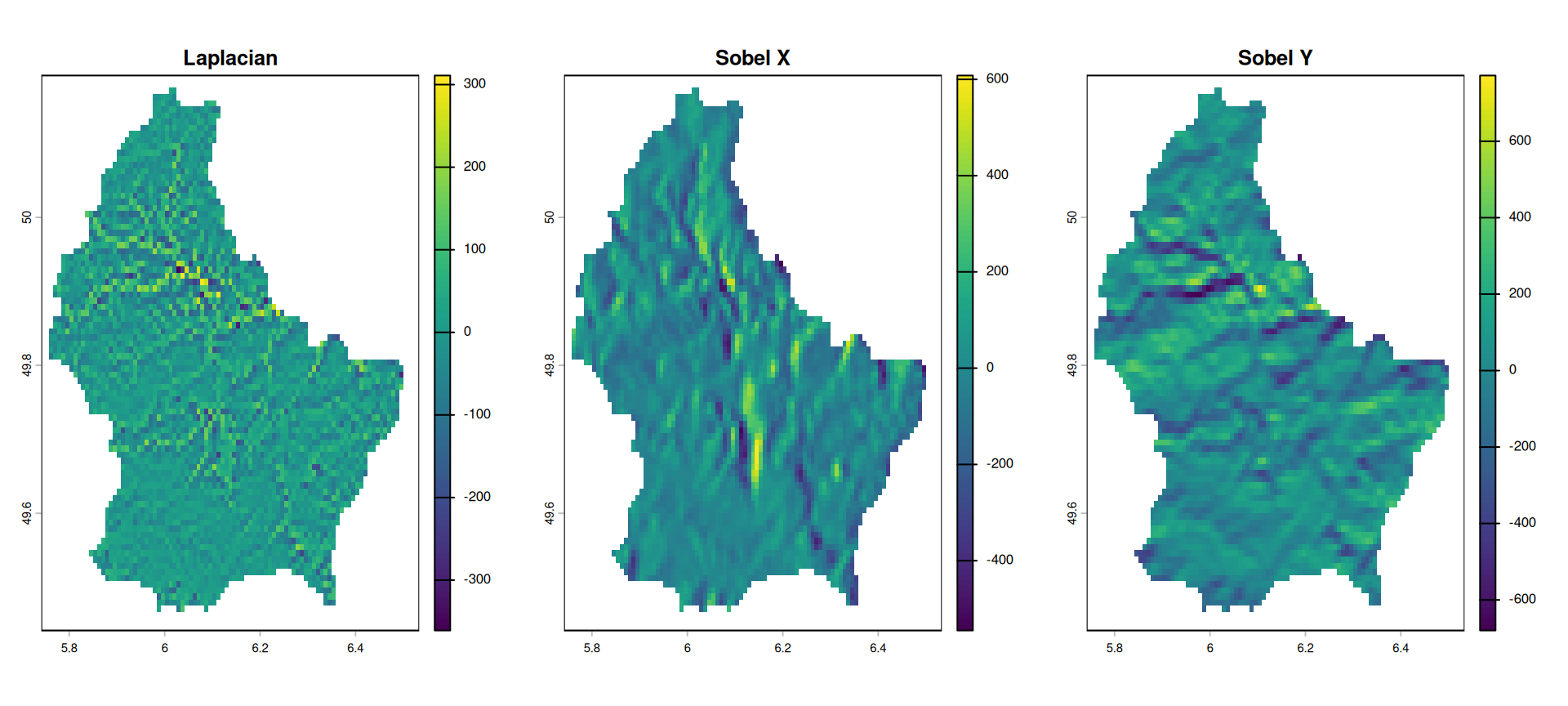
For example, a laplacian filter is commonly used for edge detection.

laplacian <- matrix(c(0,1,0,1,-4,1,0,1,0), nrow=3) 

laplacian
     [,1] [,2] [,3]
[1,]    0    1    0
[2,]    1   -4    1
[3,]    0    1    0

So are the sobel filters — shown on the next slide.

Focal weights (2) — Sobel

sobel_x <- matrix(c(-1,-2,-1,0,0,0,1,2,1), nrow=3)

sobel_x
     [,1] [,2] [,3]
[1,]   -1    0    1
[2,]   -2    0    2
[3,]   -1    0    1
sobel_y <- matrix(c(1,0,-1,2,0,-2,1,0,-1), nrow=3)

sobel_y
     [,1] [,2] [,3]
[1,]    1    2    1
[2,]    0    0    0
[3,]   -1   -2   -1

Figure 6

Focal Operations = Convolutions

A focal operation with a weight matrix is a discrete convolution:

\[(\text{output})_{i,j} = \sum_{m}\sum_{n} w_{m,n} \cdot r_{i+m,\, j+n}\]

This is exactly the operation in convolutional neural networks (CNNs):

Hand-crafted kernel Equivalent CNN concept
Gaussian blur Smoothing / anti-aliasing layer
Sobel x/y Edge detection layer
Mean filter Average pooling

The key difference: in deep learning, kernels are learned from data rather than designed manually.

From cells to real world units (1)

  • We have been specifying our focal weights in terms of cell units
  • In most cases, it is more reasonable to work with real world units
  • The resolution of our raster is 0.008333333 (see res(r)) and since our raster is in WGS84, the units is “degrees”.
  • To work with more managable units, we can convert the raster to a projected CRS that uses “meters”, e.g. EPSG 2169
[1] 0.008333333 0.008333333
# Reproject to a "projected" CRS
r_2169 <- project(r, "EPSG:2169")

From cells to real world units (2)

  • The resolution of our new raster is 771.9714782 meters.
  • We can resample this to 1 km to simplify things
res(r_2169)
[1] 771.9715 771.9715
# first, create template raster with the same extent and 1km resolution
template <- rast(res = 1000, ext = ext(r_2169))

# then, resample to this template
r_2169 <- resample(r_2169, template)

Focal weights with focalMat

  • focalMat creates focal matrices in real-world units (CRS units)
  • Shapes: circle (d = radius), rectangle (d = dimensions), Gauss (d = sigma)
  • Values sum to 1; matrix size adapts to raster resolution
focal_circle <- focalMat(x = r_2169, d = 2000, "circle")

focal_circle
           [,1]       [,2]       [,3]
[1,] 0.00000000 0.09090909 0.00000000
[2,] 0.09090909 0.09090909 0.09090909
[3,] 0.09090909 0.09090909 0.09090909
[4,] 0.09090909 0.09090909 0.09090909
[5,] 0.00000000 0.09090909 0.00000000
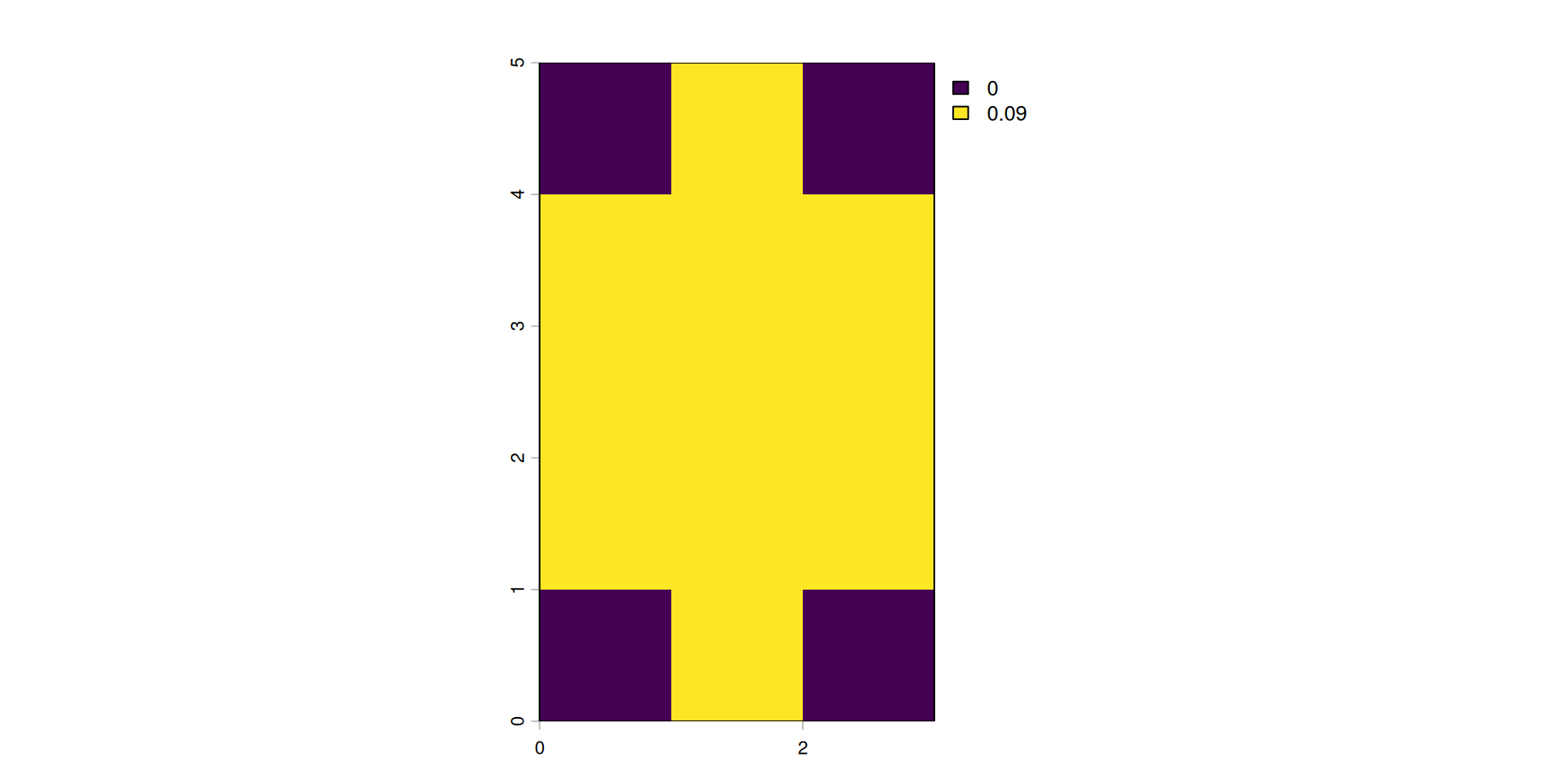
Circle filter (2 km radius)

Focal weights with focalMat — Gauss
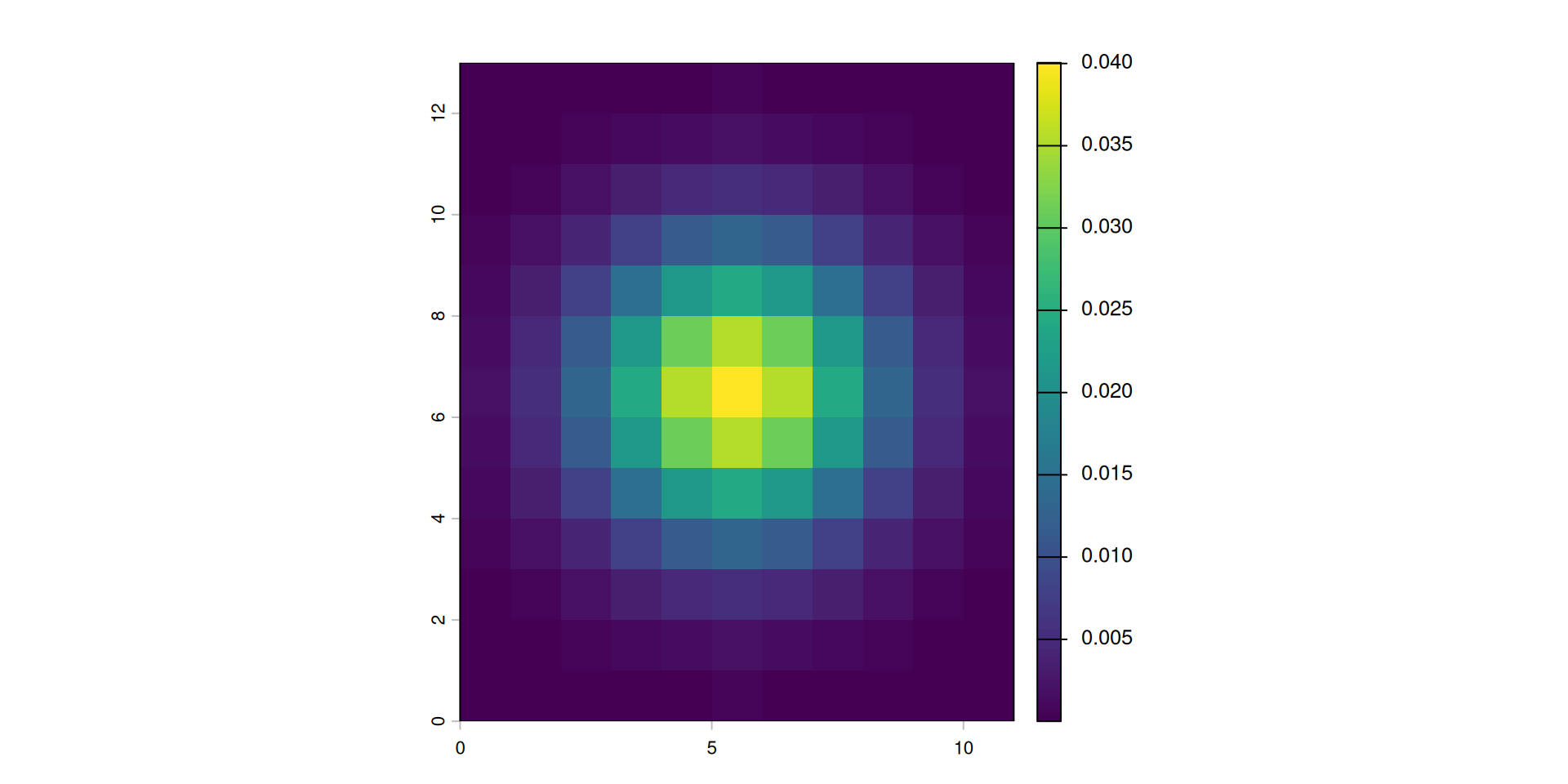
focal_gauss <- focalMat(x = r_2169, d = 2000, "Gauss")

Gaussian filter (sigma = 2 km)

Focal functions in terrain processing
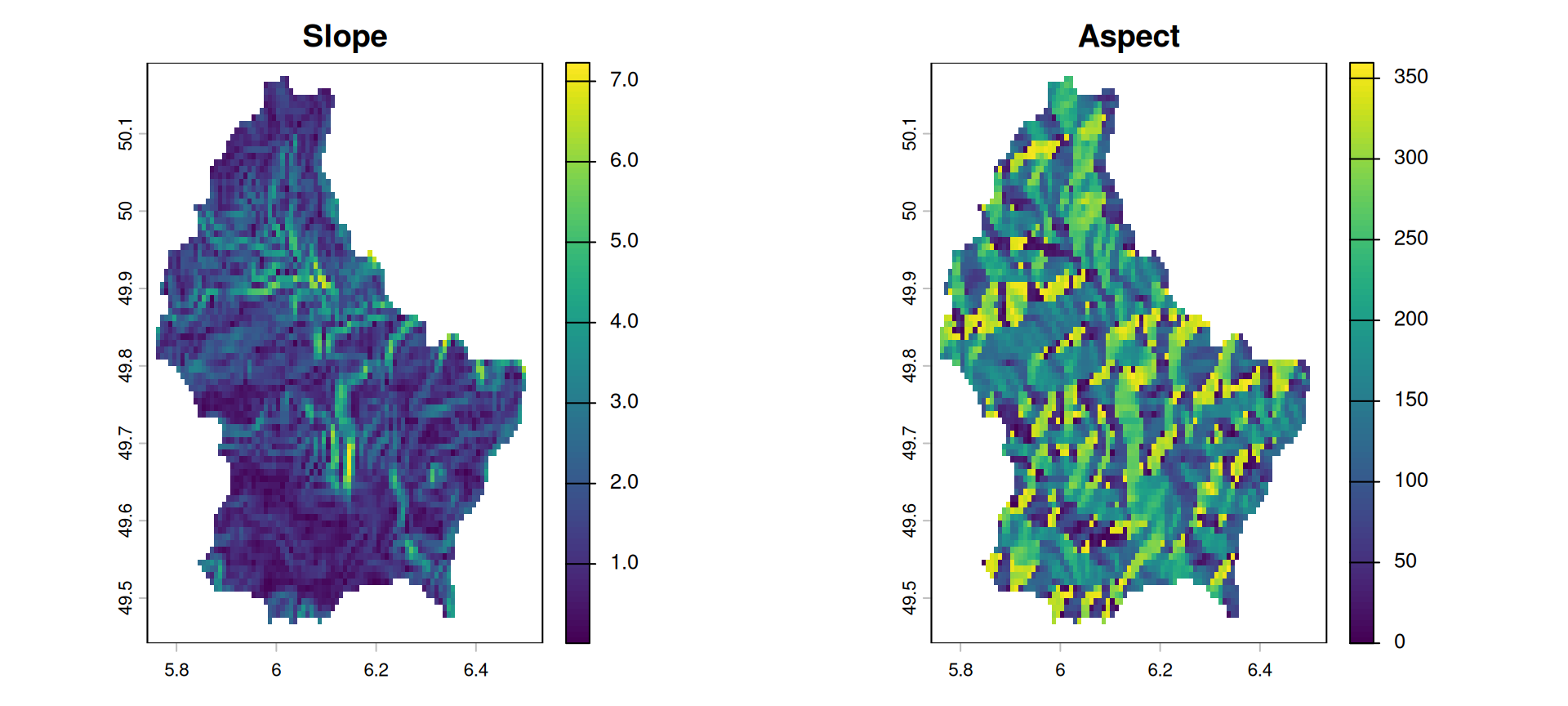
  • Focal functions are used to calculate the slope of a specific location, e.g. using the algorithm by Horn (1981)
  • Similarly, calculating the aspect (azimuth) of a location is a very typical task when dealing with elevation data
  • These algorithms are used so often, that they are implemented in a dedicated function (terrain())

Focal functions in terrain processing

par(mfrow = c(1, 2))
terrain(r, "slope") |> plot(main = "Slope")
terrain(r, "aspect") |> plot(main = "Aspect")
par(mfrow = c(1, 1))

Figure 7

Raster–Vector Operations

Raster–Vector Operations

Vector data represents discrete geometries: points, lines, polygons — each with a geometry and attributes.

Three fundamental operations linking rasters and vectors:

Operation Function What it does
Crop crop() Reduce raster extent to bounding box of vector
Mask mask() Set cells outside vector geometry to NA
Extract extract() Get raster cell values at vector locations

Crop & Mask

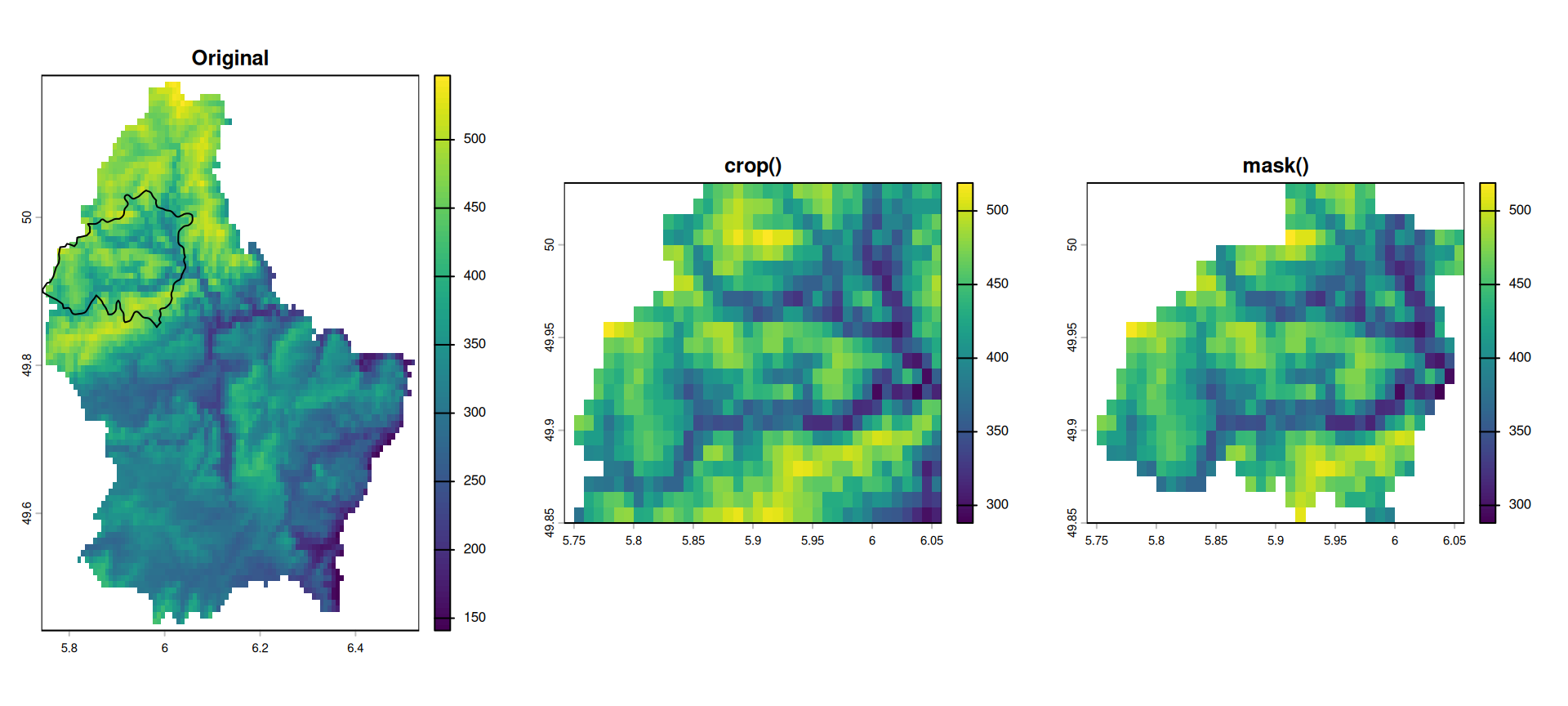
one_muni <- lux[5, ]           # one municipality polygon

r_crop <- crop(r, one_muni)
r_mask <- mask(r_crop, one_muni)

Crop & Mask

Figure 8

Extract

# Sample 20 random point locations
pts <- spatSample(r, 20, as.points = TRUE, na.rm = TRUE)

# Elevation value at each point
extract(r, pts) |> head(5)
  ID elevation
1  1       226
2  2       278
3  3       359
4  4       380
5  5       294

extract() also accepts polygon geometries and an aggregation function:

# Mean elevation per municipality polygon
extract(r, lux, fun = mean, na.rm = TRUE) |> head(3)
  ID elevation
1  1  467.1052
2  2  333.8629
3  3  377.3712

Summary

Type Scope Key functions
Global Entire raster global(), distance()
Zonal Defined regions zonal(), rasterize()
Local Per cell classify(), >, &, spectral indices
Focal Moving window focal(), focalMat(), terrain()
Vector ops Geometry-based crop(), mask(), extract()

References

Horn, Berthold KP. 1981. “Hill Shading and the Reflectance Map.” Proceedings of the IEEE 69 (1): 14–47.
Lovelace, Robin, Jakub Nowosad, and Jannes Muenchow. 2019. Geocomputation with r. Chapman; Hall/CRC.